
Kaia Network Permissionless Migration: Withdrawal Requests Now Open

The Migration menu on Kaia Portal opens Tue, Nov 17. If you have KAIA staked in the existing Public Delegation, you can now request a withdrawal by following the steps below.
Withdrawal requests open today.
Withdrawing and restaking start Thu, Nov 26.
There is a waiting period after you request. From Nov 26, you will finish the withdrawal and restake by following a separate notice.
Kaia Portal: https://portal.kaia.io/
Why do I need to migrate?
Kaia's transition to a Permissionless network deploys new staking contracts. If you use the existing Public Delegation, you need to withdraw your KAIA from the current contract and restake it on the new one.
 Kaia Marketing Team
Your stake does not move automatically. The Migration menu moves it to the new staking contract of the same GC you delegate to now. For background, see the advance notice and the usage guide.
Key dates and preparation
| When | What happens |
|---|---|
| From Tue, Nov 17 | Request withdrawal |
| After your request | Waiting period. Check your request details on the Migration screen. |
| From Thu, Nov 26 | Withdraw and restake, once your waiting period has passed and your GC has completed its migration preparation |
Have ready the wallet you used for staking and some KAIA for transaction fees.
How to request a withdrawal
The GCs, amounts and dates in the screens below are examples. Your own details depend on the wallet you connect and when you make your request. Red boxes mark the areas to check.
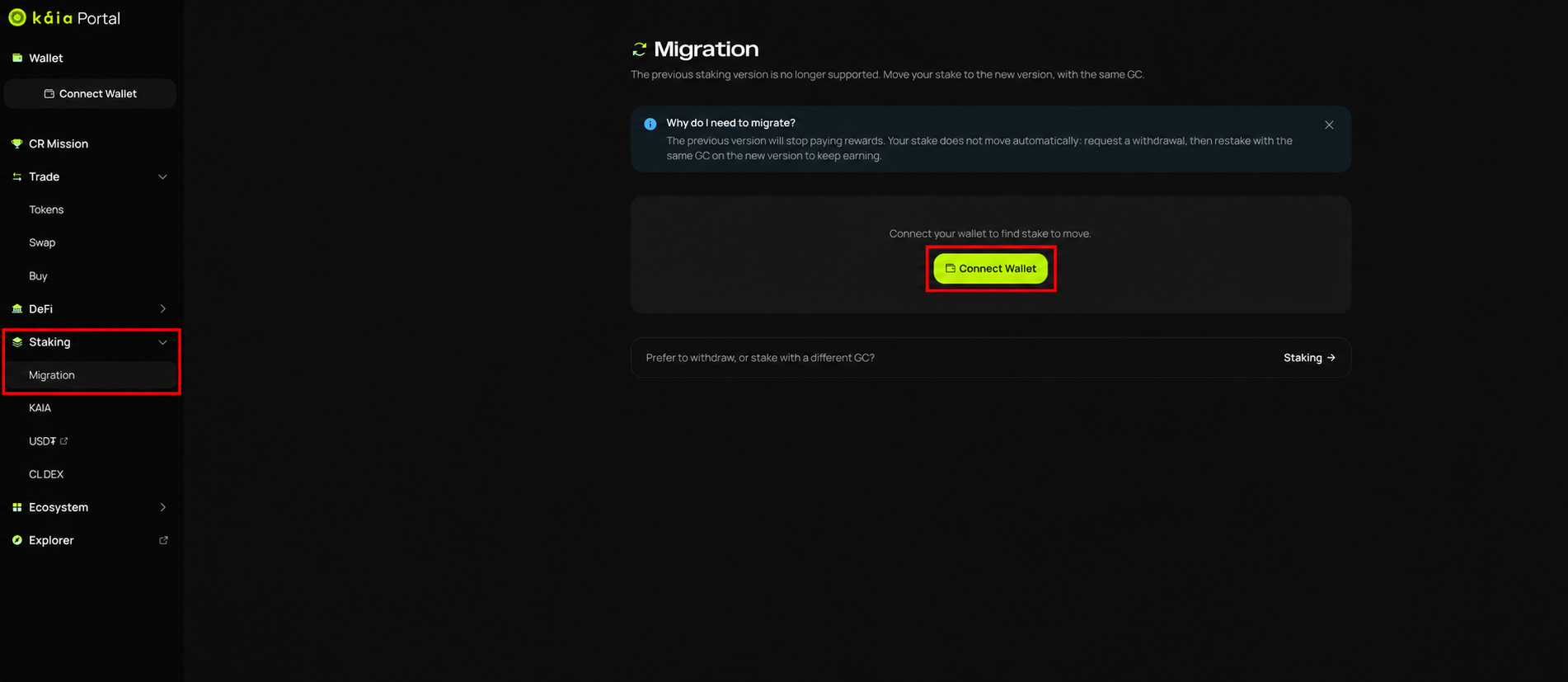
- Connect your wallet
On Kaia Portal, select Staking → Migration. Click Connect Wallet and connect the wallet and account you used for staking.
- Check your GC and the amount to request
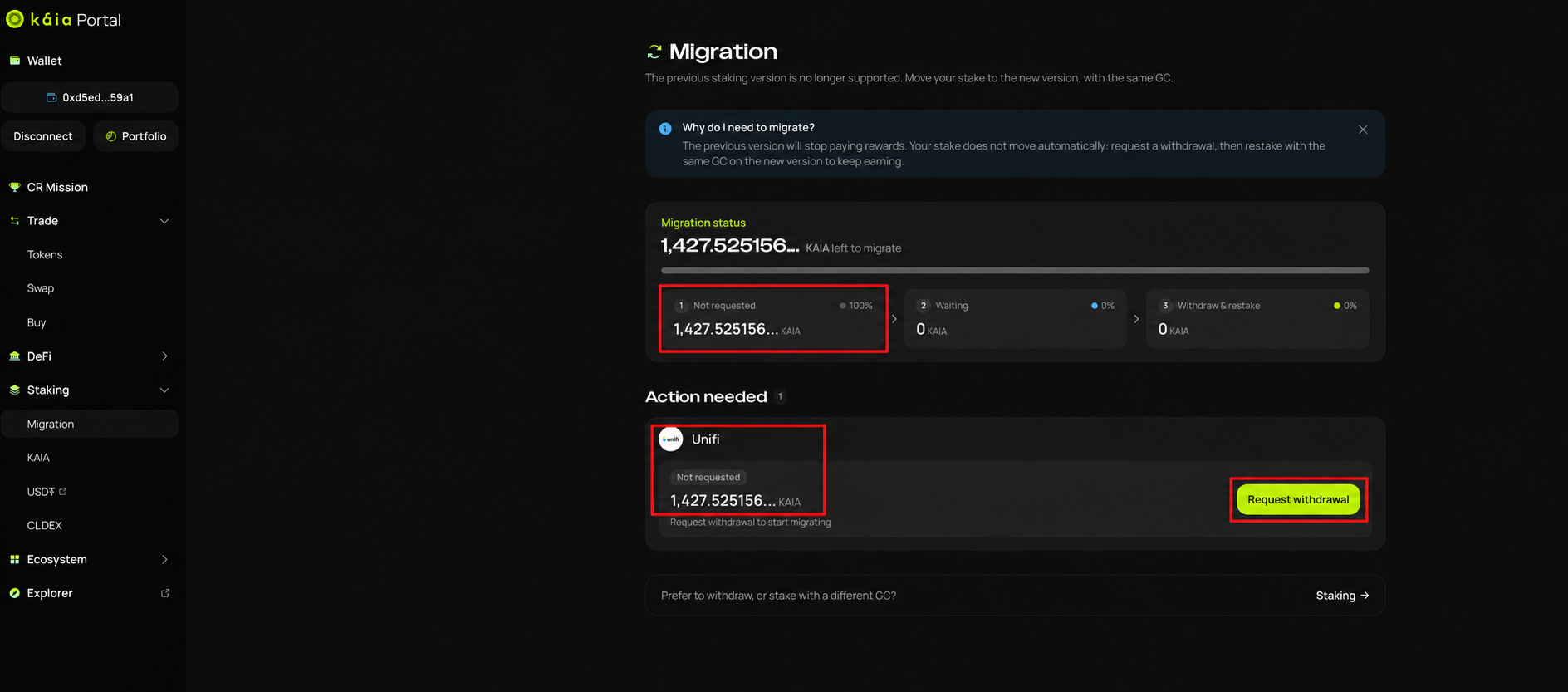
Migration status shows your overall progress. Not requested is the amount you have not requested to withdraw yet.
Under Action needed, check the GC and amount, then click Request withdrawal. If you staked with more than one GC, make a request for each GC.
- Request the withdrawal and approve it in your wallet
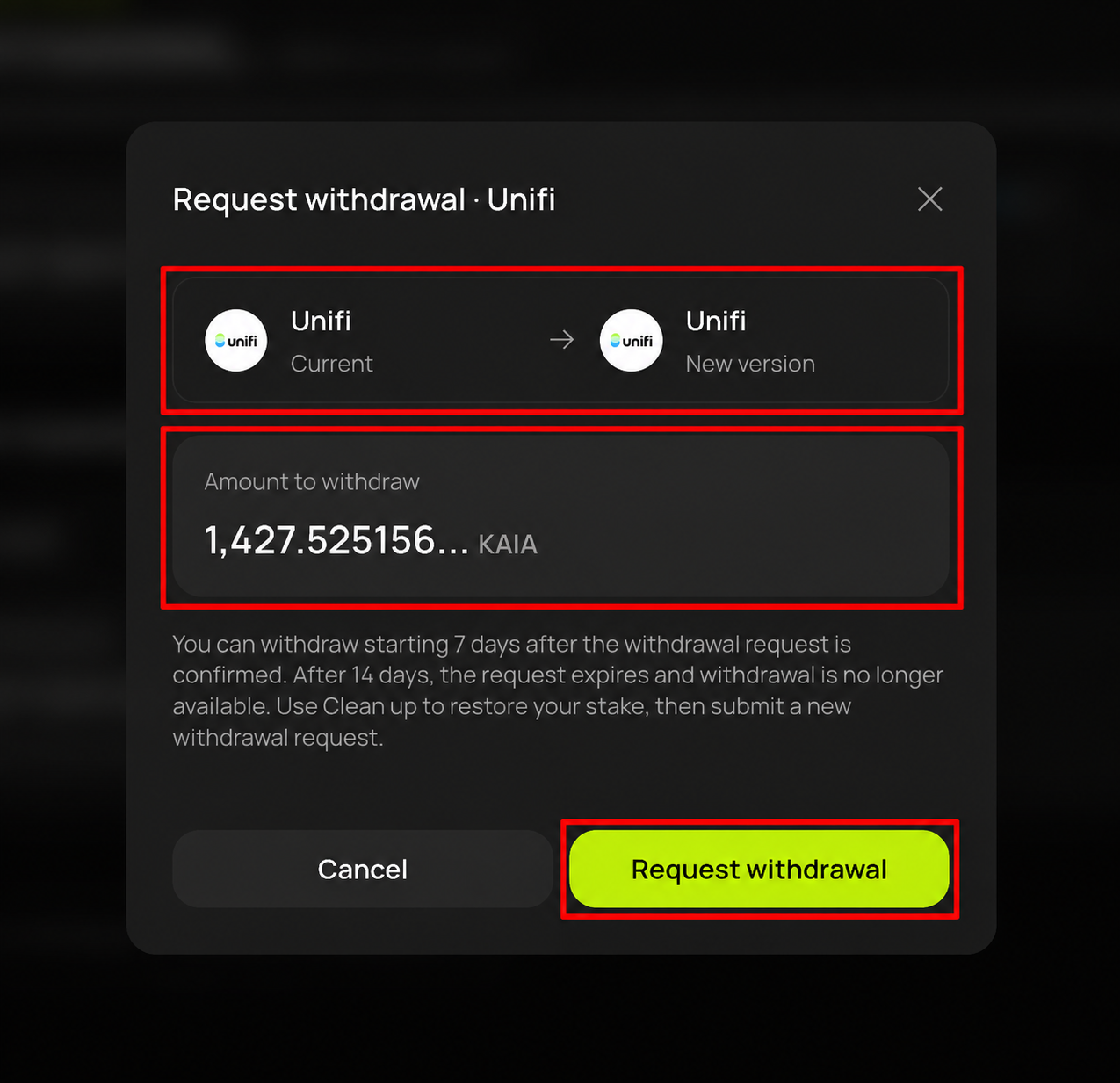
In the request window, check the GC details and the amount under Amount to withdraw. Click Request withdrawal, approve the transaction in your wallet, and wait for it to complete.
- Confirm your request
Once the amount shows as Waiting, your request is complete. If you made more than one request to the same GC, each one is listed separately.
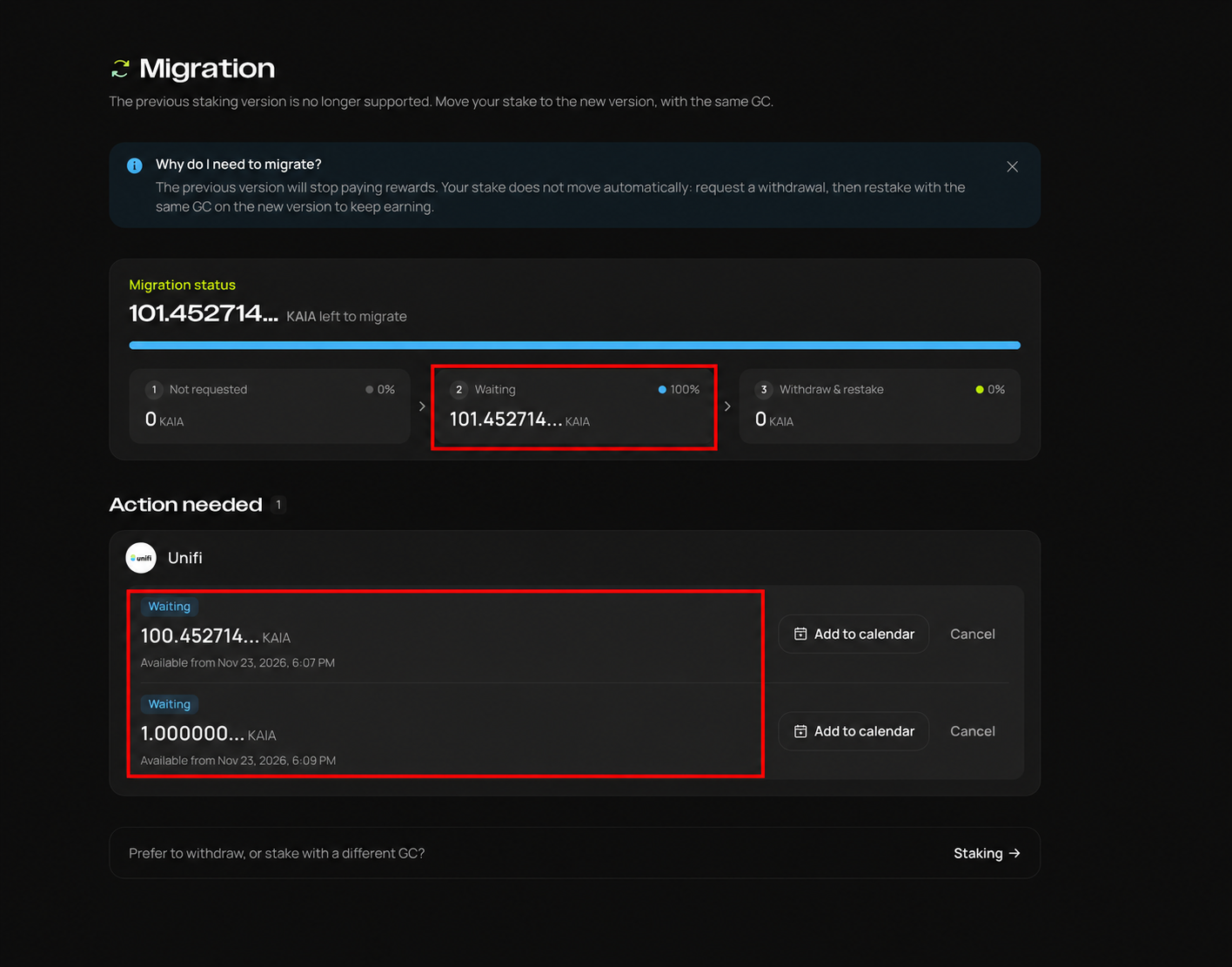
Available from shows when each request's waiting period ends. The Nov 23 date on this screen comes from a request made when the screenshot was taken. For this migration, withdrawing and restaking start on Nov 26.
If you have an expired withdrawal request
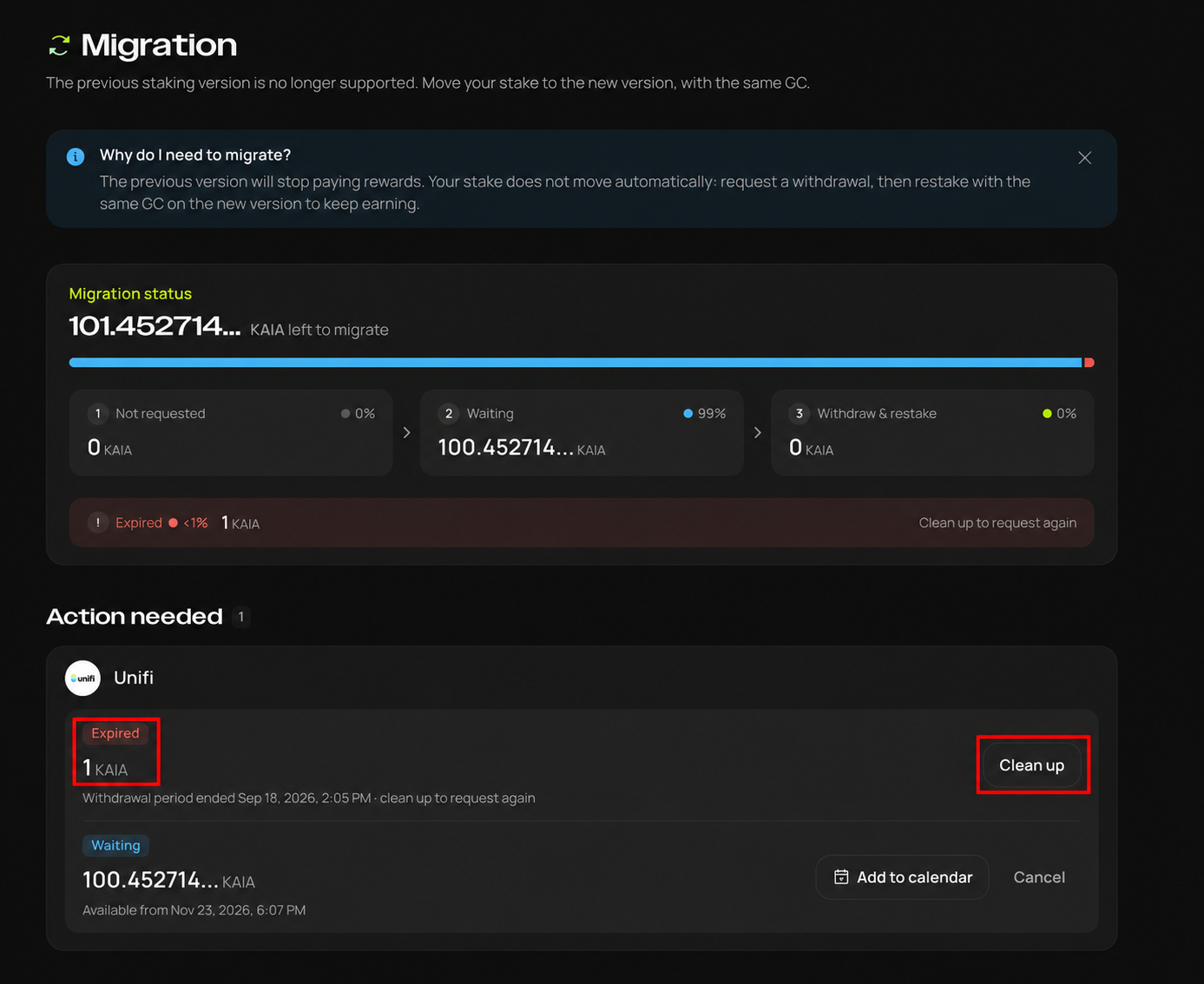
If an earlier withdrawal request passed its deadline, it shows as Expired. Click Clean up on that entry and approve it in your wallet.
When that's done, click Request withdrawal to request again and check that it shows as Waiting. Clean up and the new request are two separate steps.
What happens next
From Nov 26, you can withdraw and restake assets once your waiting period has passed and your GC has completed its migration preparation. Depending on when you request, you may still need to wait after Nov 26, so check your own status and withdrawal deadline.
Requesting a withdrawal does not complete the migration. You still need to withdraw and restake under Withdraw & restake. We will explain how in our Nov 26 notice.
If you take part in CR Mission 1, your KAIA staking contribution stays recognized as long as you migrate on this schedule. More on CR recognition during the upgrade.
We kindly request that users process withdrawals in a timely manner in order to ensure a smooth migration.
Only use the official Kaia Portal link above. Kaia will never DM you first.