
Kaia Network Permissionless Migration: Withdraw and Restake Now Open


Hello, this is the Kaia Foundation.
You can now withdraw and restake on Kaia Portal.
If you use the existing Public Delegation, go to Staking → Migration on Kaia Portal. If your withdrawal request shows Ready, follow step ⑥ in the guide below to withdraw, then restake with the same GC.
The full process runs in this order: request withdrawal → 7-day wait → withdraw → restake.
Kaia Portal: https://portal.kaia.io/
New to the migration? See the advance notice, the usage guide and the Nov 17 announcement for background.
 Kaia Marketing Team
 Kaia Marketing Team
If you staked with Verichain
We have tried to reach Verichain for about two and a half months to prepare its migration, but had not received a response as of today. Because of this, stake delegated to Verichain can't be migrated the usual way.
If you staked KAIA with Verichain, follow these steps instead:
- Go to Staking → Legacy Withdrawal on Kaia Portal and complete the withdrawal of your existing stake.
- Stake the withdrawn KAIA with a different GC.
- Your staking rewards resume once the new stake is in place.
The migration guide below is for stake delegated to other GCs.
Migration guide
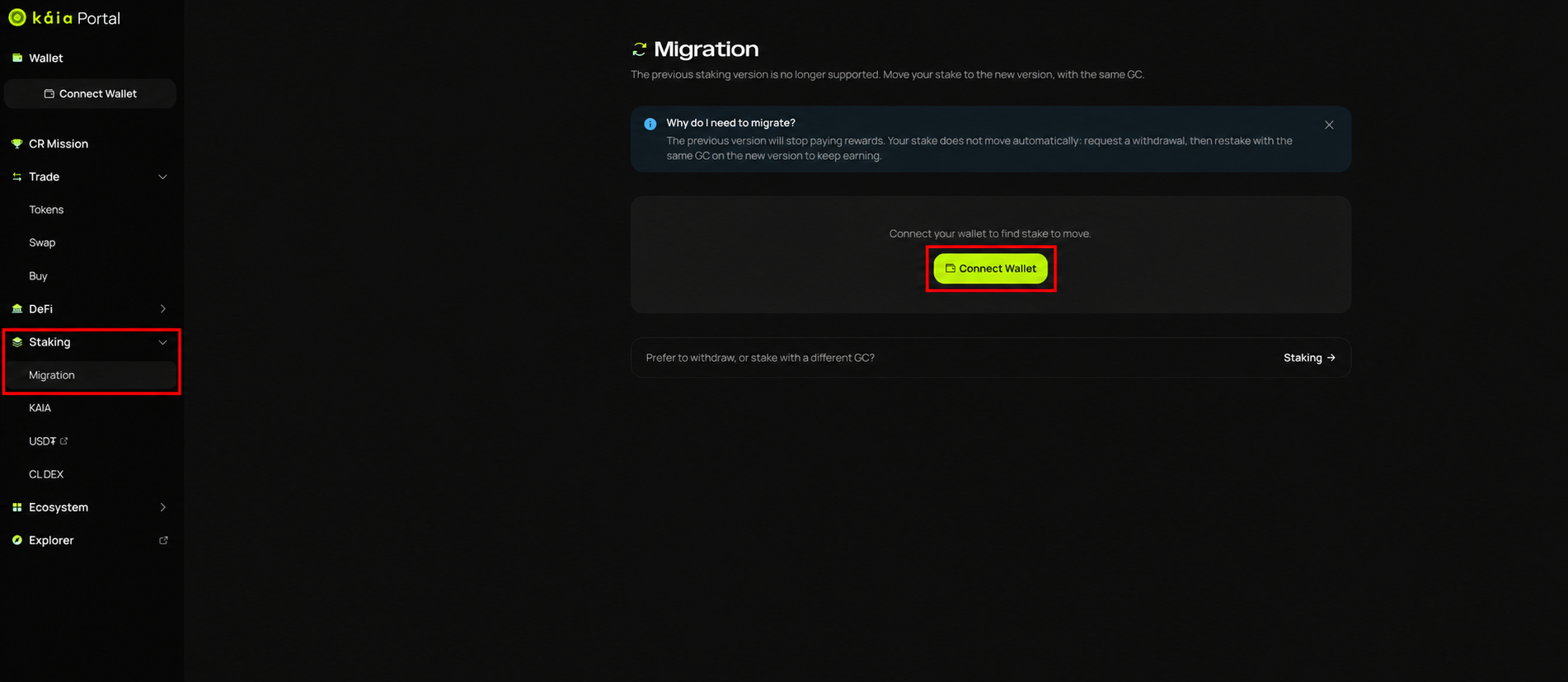
The GCs, amounts and dates on these screens are examples. Check the requests and withdrawal deadlines shown for your own wallet. Red boxes mark the areas to check.
- Connect the wallet you staked with
On Kaia Portal, go to Staking → Migration, click Connect Wallet, and connect the wallet and account you used to stake KAIA. Keep some KAIA in the wallet for transaction fees.
- Check your status for each GC
Check your overall progress under Migration status, then check each GC's requests and amounts under Action needed. If a request already shows Ready, skip to step ⑤.
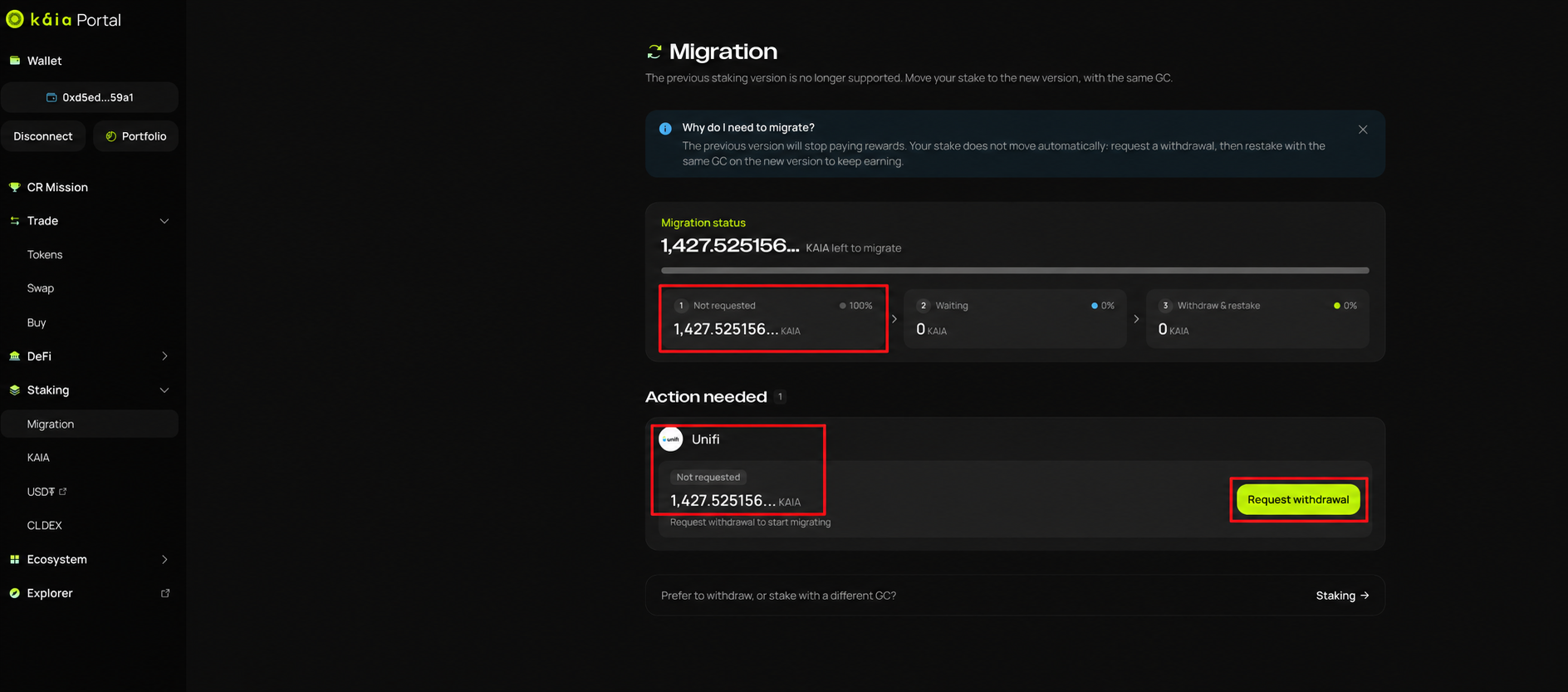
- Request withdrawal for any amount not yet requested
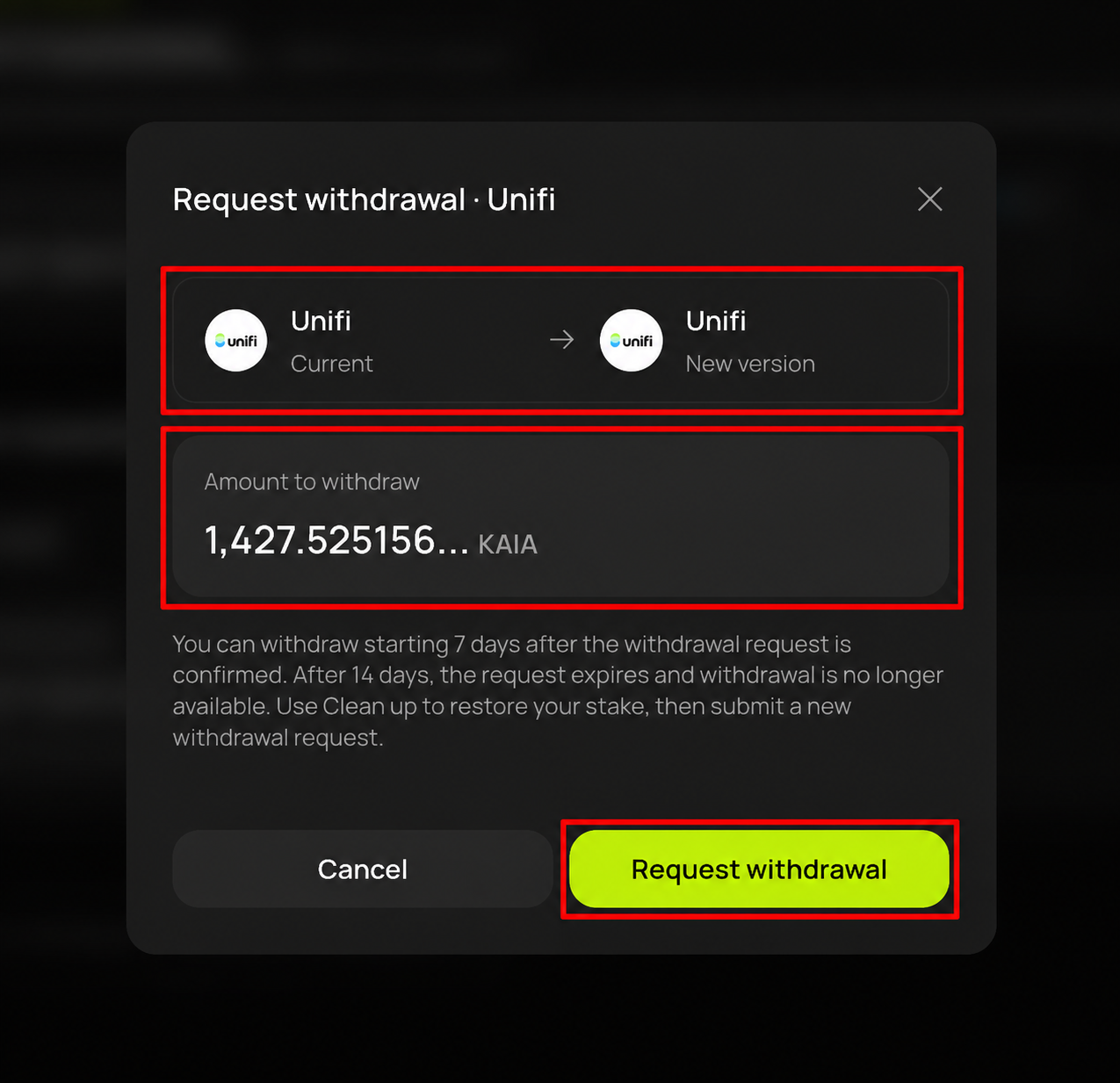
If you have a Not requested amount, click Request withdrawal for that GC. In the request window, check the GC and amount, then approve the transaction in your wallet.
- Check when your wait ends
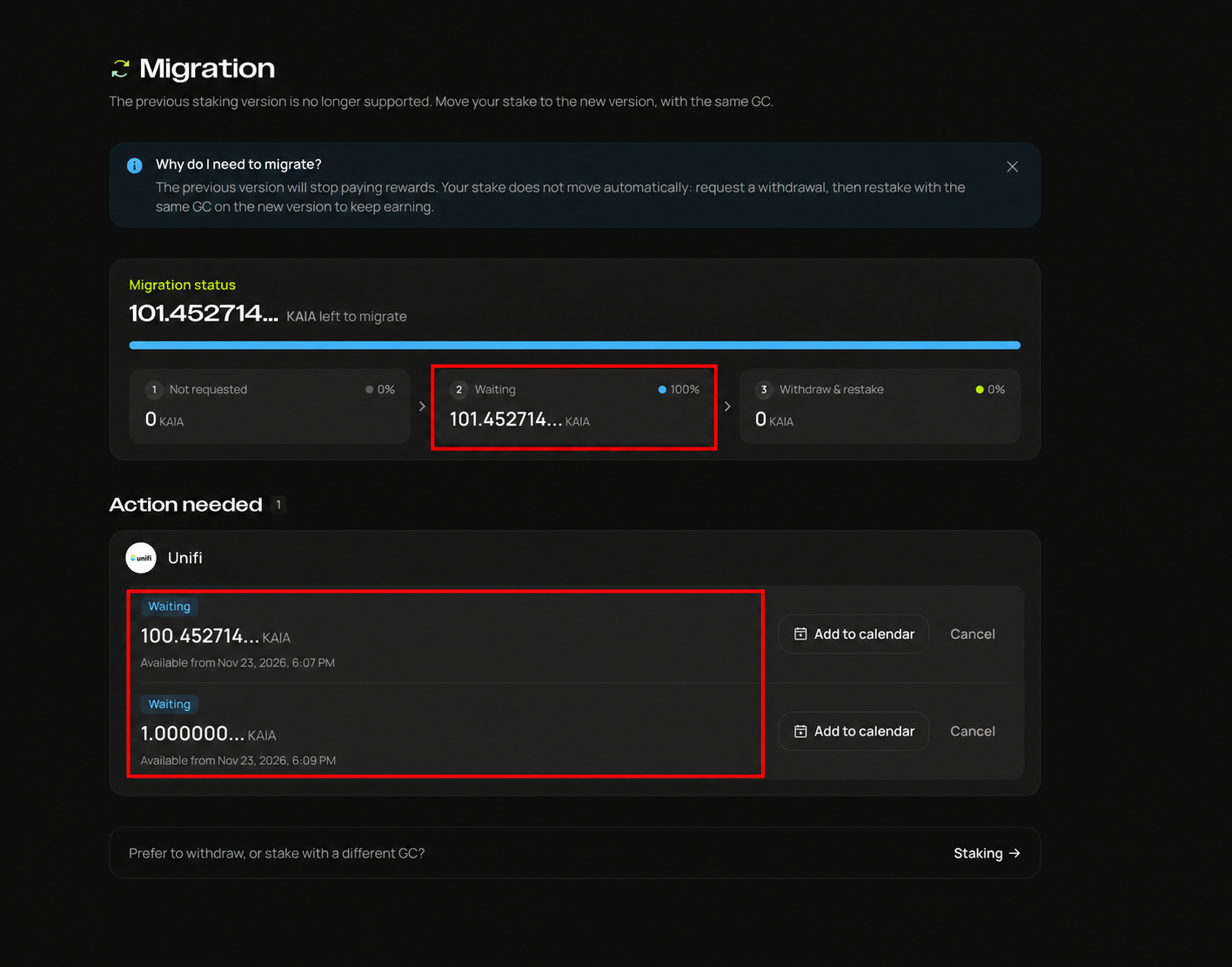
Once the request transaction is confirmed, the amount shows under Waiting. Available from shows when the 7-day wait ends for each request.
- Check that a request is Ready and note its deadline
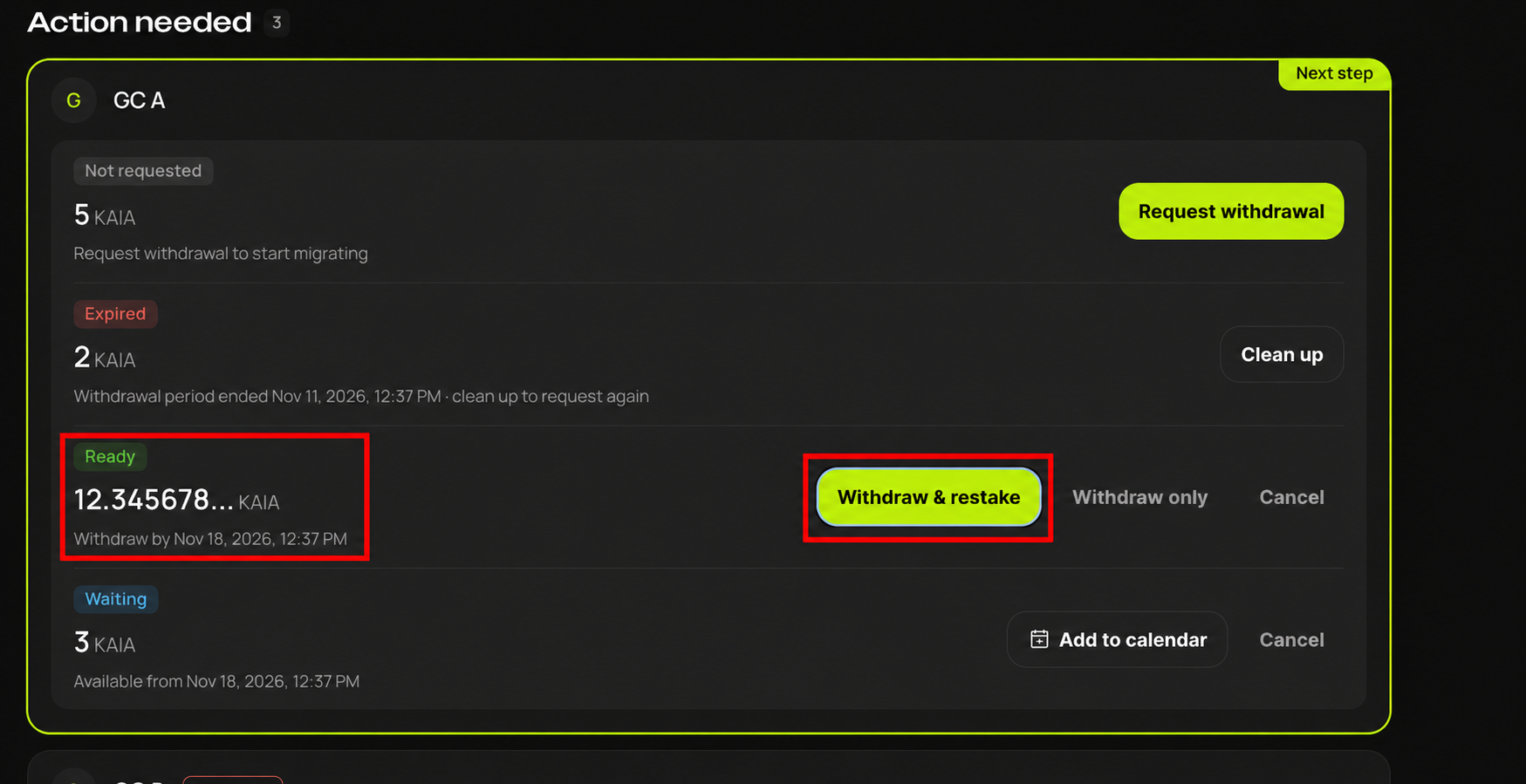
Once the wait is over and your GC has completed its migration preparation, you can withdraw and restake. Check that the request shows Ready and note the deadline under Withdraw by, then click Withdraw & restake.
- Withdraw, then restake
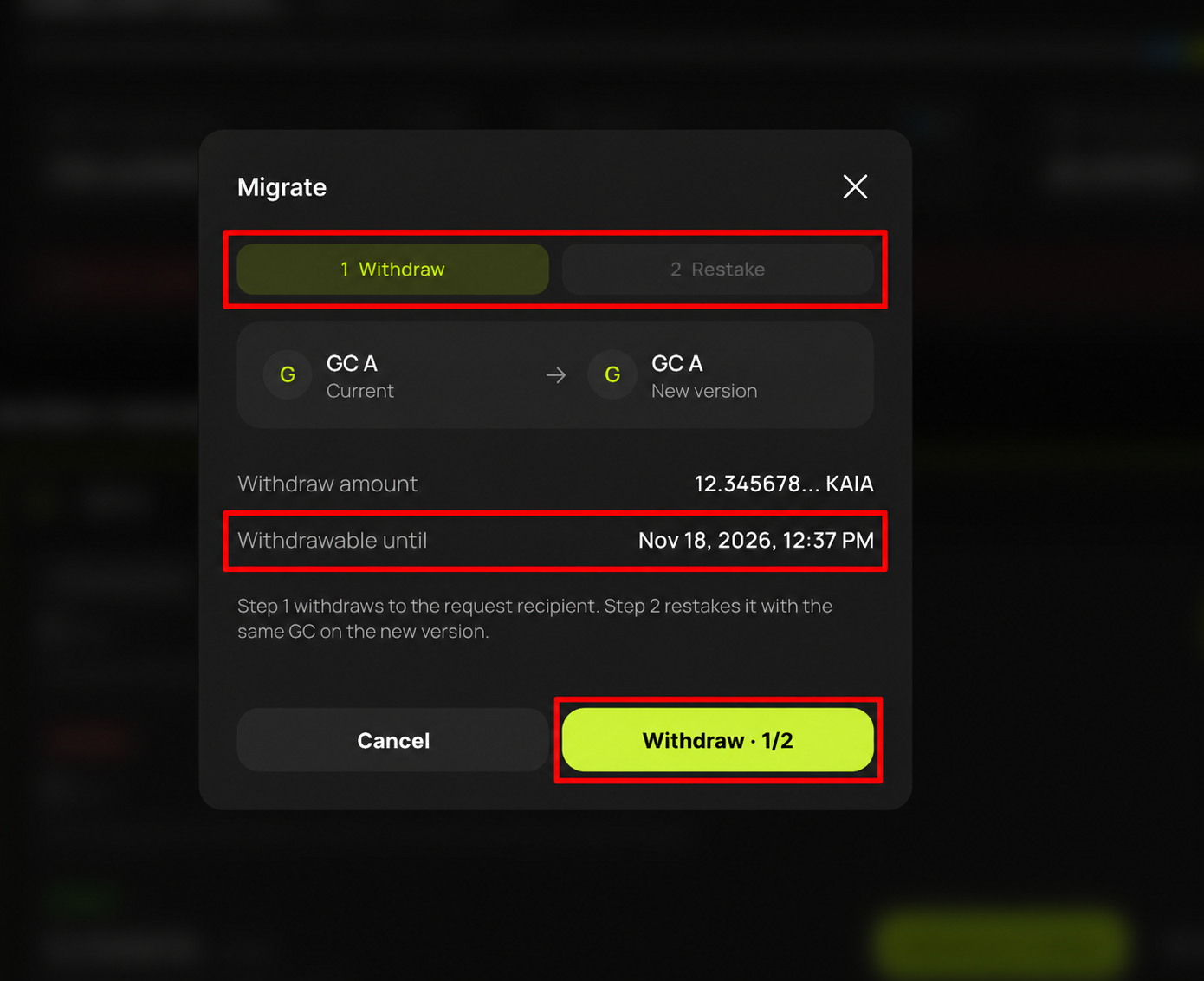
In the Migrate window, check the GC, the withdraw amount and the deadline under Withdrawable until. First, approve the withdrawal under 1 Withdraw. When it completes, restake to the same GC's new staking contract under 2 Restake and approve it in your wallet.
Once the transaction is confirmed, check that the amount shows in your new stake.
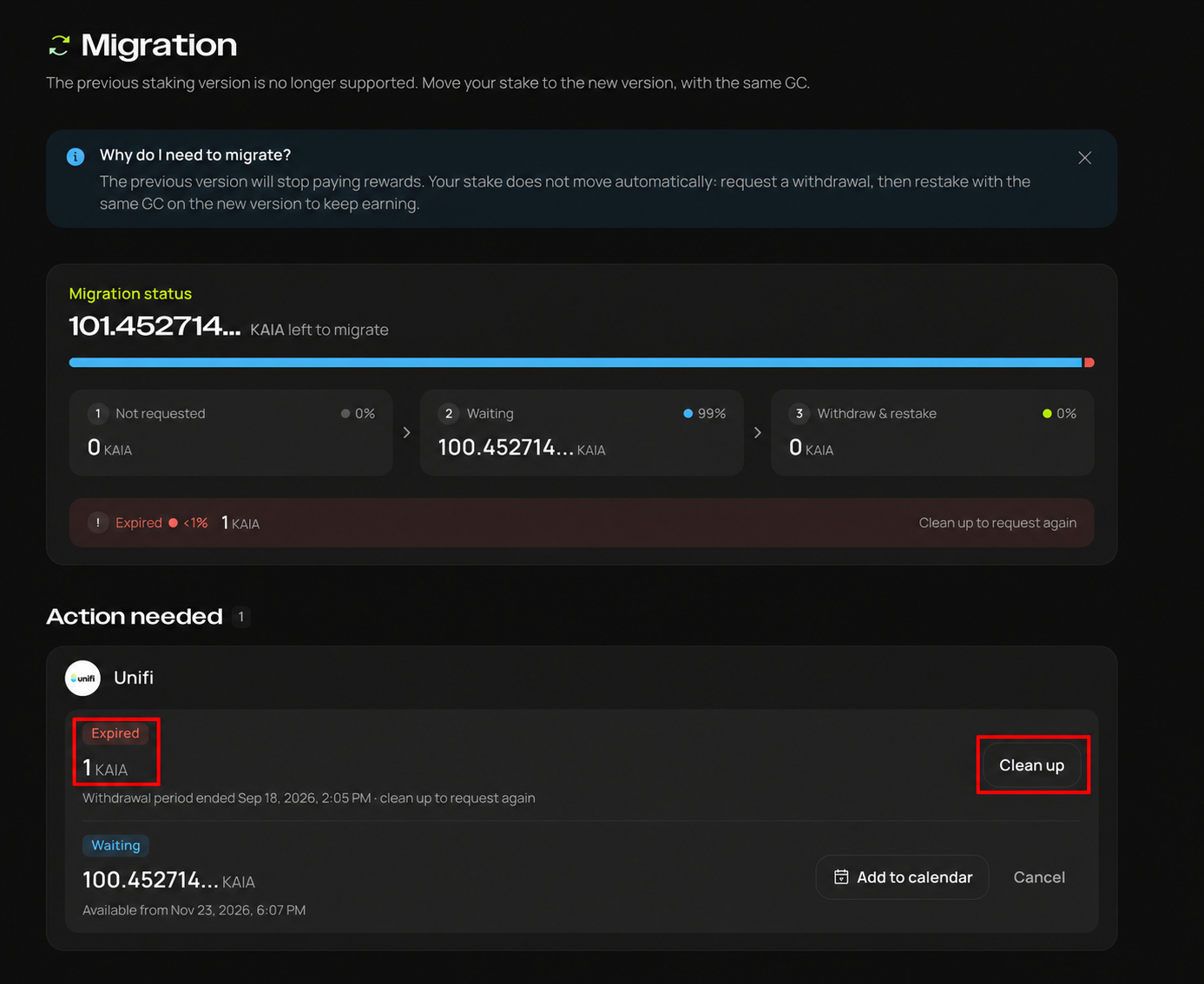
If a request shows as Expired
For a request past its deadline, click Clean up, then request again with Request withdrawal. Check that the new request shows as Waiting.
Thank you.
Only use the official Kaia Portal link above.
Kaia will never DM you first.