
Kaia Network Permissionless Migration: Usage Guide

Hello, this is the Kaia Foundation.
Following our Nov 6 advance notice on migrating staked assets, here is what to prepare and how each screen works before the Migration menu opens and withdrawal requests begin on Tue, Nov 17.
This is a preview guide ahead of launch. Withdrawal requests start Tue, Nov 17, and withdrawal and restaking are scheduled from Thu, Nov 26. A final user guide based on the live service screens will follow with the Nov 17 launch notice.
Why do I need to migrate?
Kaia's transition to a Permissionless network includes new staking contracts and a network hard fork. If you have KAIA in the existing Public Delegation, you need to withdraw it from the current contract and restake it on the new one.
Your stake does not move automatically. The Migration menu on Kaia Portal walks you through moving it to the new staking contract of the same GC you delegate to now.
Key dates and preparation
| Date | What happens |
|---|---|
| Nov 13 · Preview guide | Prepare your staking wallet and KAIA for fees, and review the flow. |
| From Nov 17 |
The Migration menu opens and you can request withdrawal. The final user guide is shared the same day. |
| After your request is confirmed | Waiting period before you can withdraw. |
| From Nov 26 (scheduled) | Withdraw and restake, once your waiting period has passed and your GC's migration is ready. |
Get these ready
- The wallet you used for staking: connect the same account you deposited KAIA with.
- KAIA for transaction fees: requesting withdrawal, withdrawing and restaking each need a wallet approval and a network fee.
The full flow is request withdrawal → wait → withdraw and restake. You act at two points, when you request and when you withdraw and restake, and inside the withdraw-and-restake screen you complete the withdrawal first, then the restake.
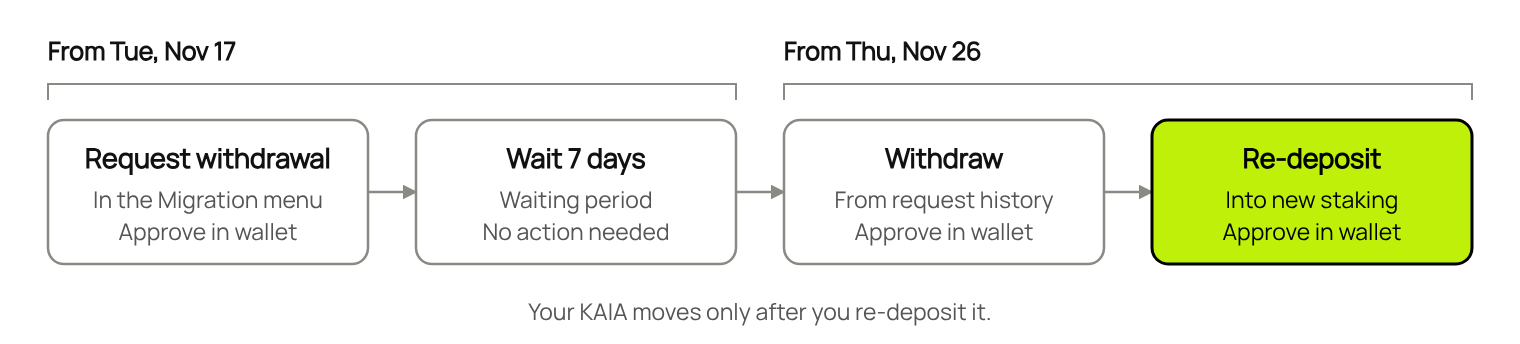
The screens below are preview examples. GC names, amounts, percentages, dates and times may differ from your own details and the official schedule. Red boxes mark the areas to check. Confirm the actual menus and features against the final guide on launch day.
Preview the screens
- Go to the Migration menu on Kaia Portal
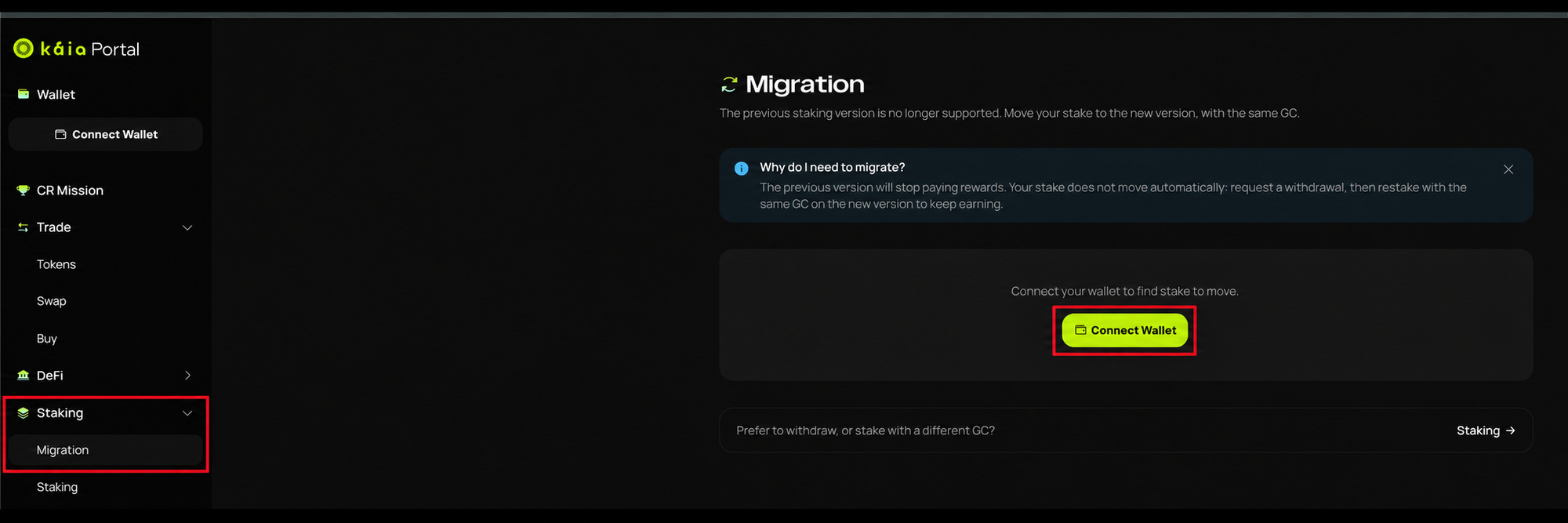
After the menu opens on Nov 17, go to Kaia Portal and select Staking → Migration on the left.
Click Connect Wallet to start.
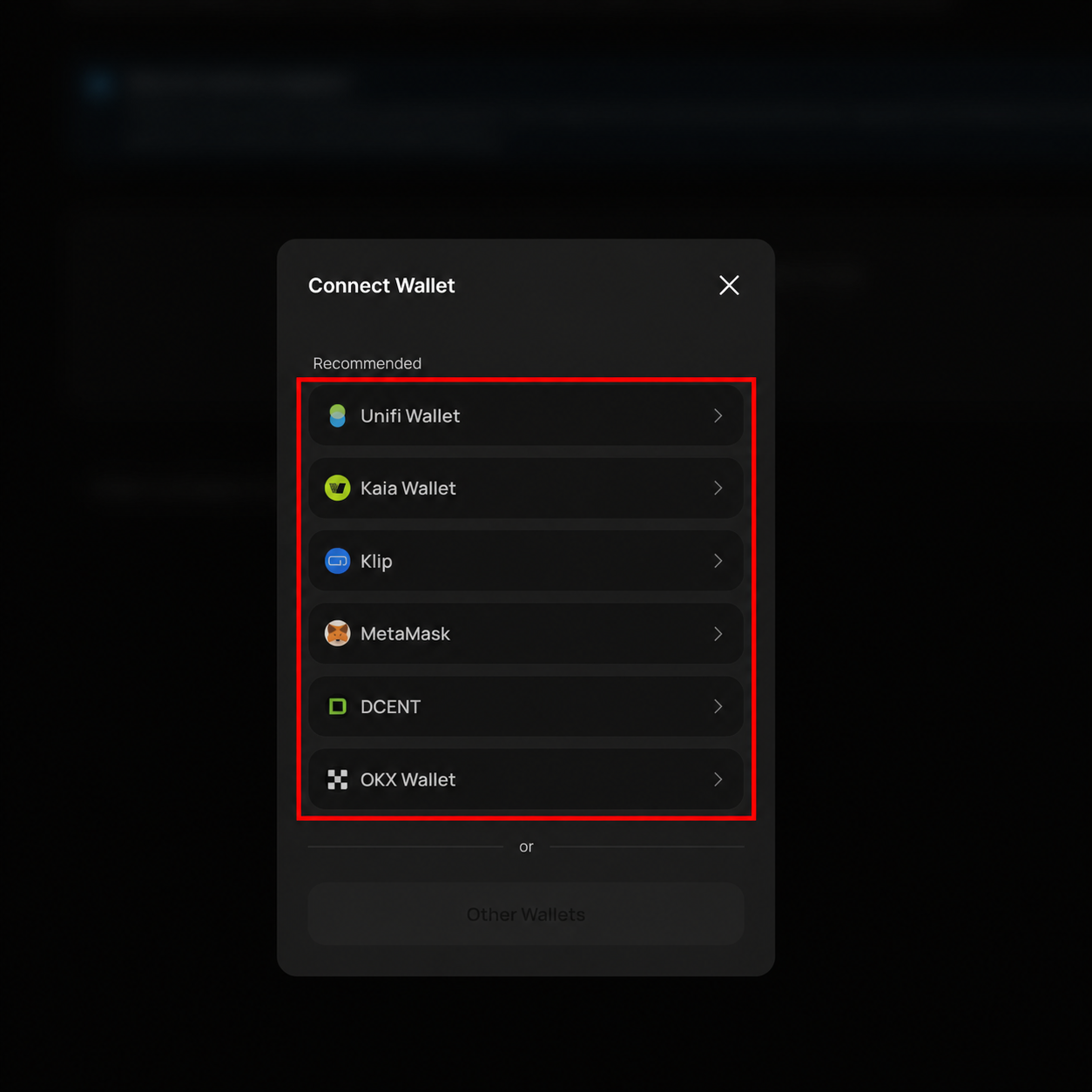
- Connect the wallet you staked with
Choose your wallet and follow the connection steps. Make sure it is the account you used for Public Delegation.
- Check your migration status for each GC
Once connected, Migration status shows your progress. Below it, Action needed lists your stake with each GC and what to do next.
- Not requested: the amount you have not yet requested to withdraw.
- Waiting: the amount requested and still in the waiting period. Its Available from date shows when you can withdraw.
- Withdraw & restake: the amount ready to withdraw and restake.
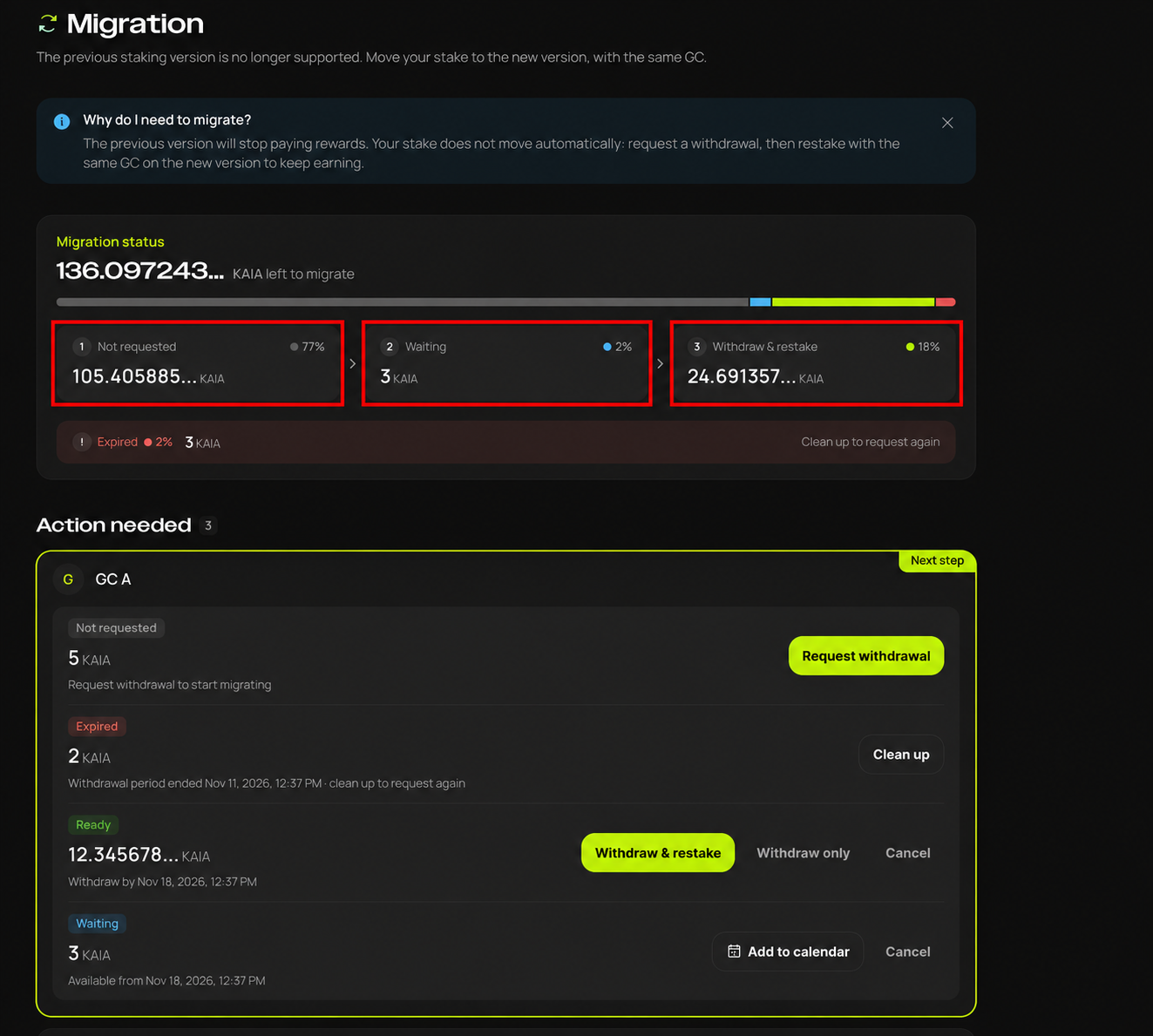
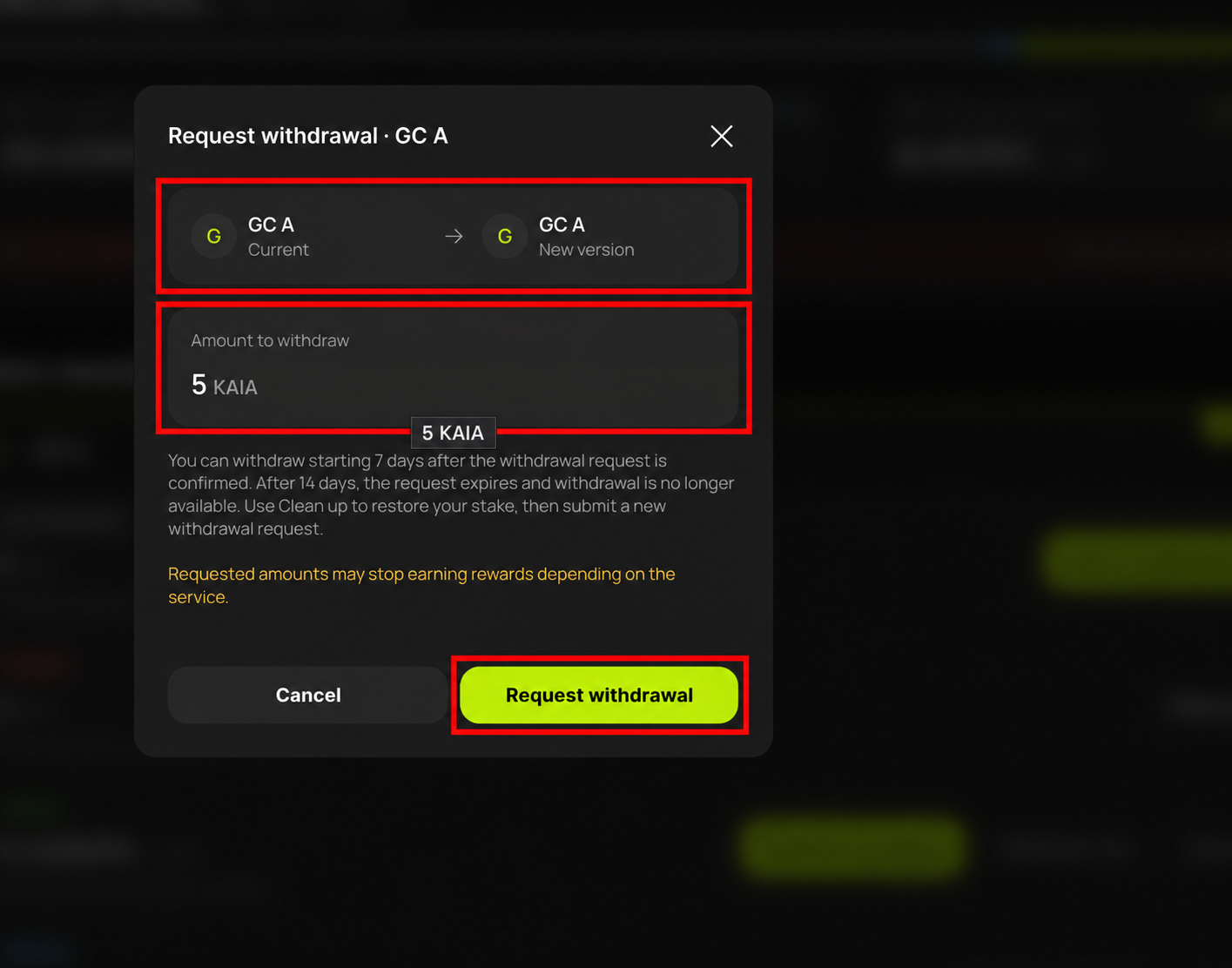
- Request withdrawal, from Nov 17
In Action needed, check the Not requested amount for your GC and select Request withdrawal. Confirm the GC and amount in the request window, click Request withdrawal, and approve in your wallet.
Once your request is confirmed, check its waiting status and when you can withdraw. If you staked with several GCs, each GC's request and status are listed separately. Requesting a withdrawal does not complete the migration on its own.
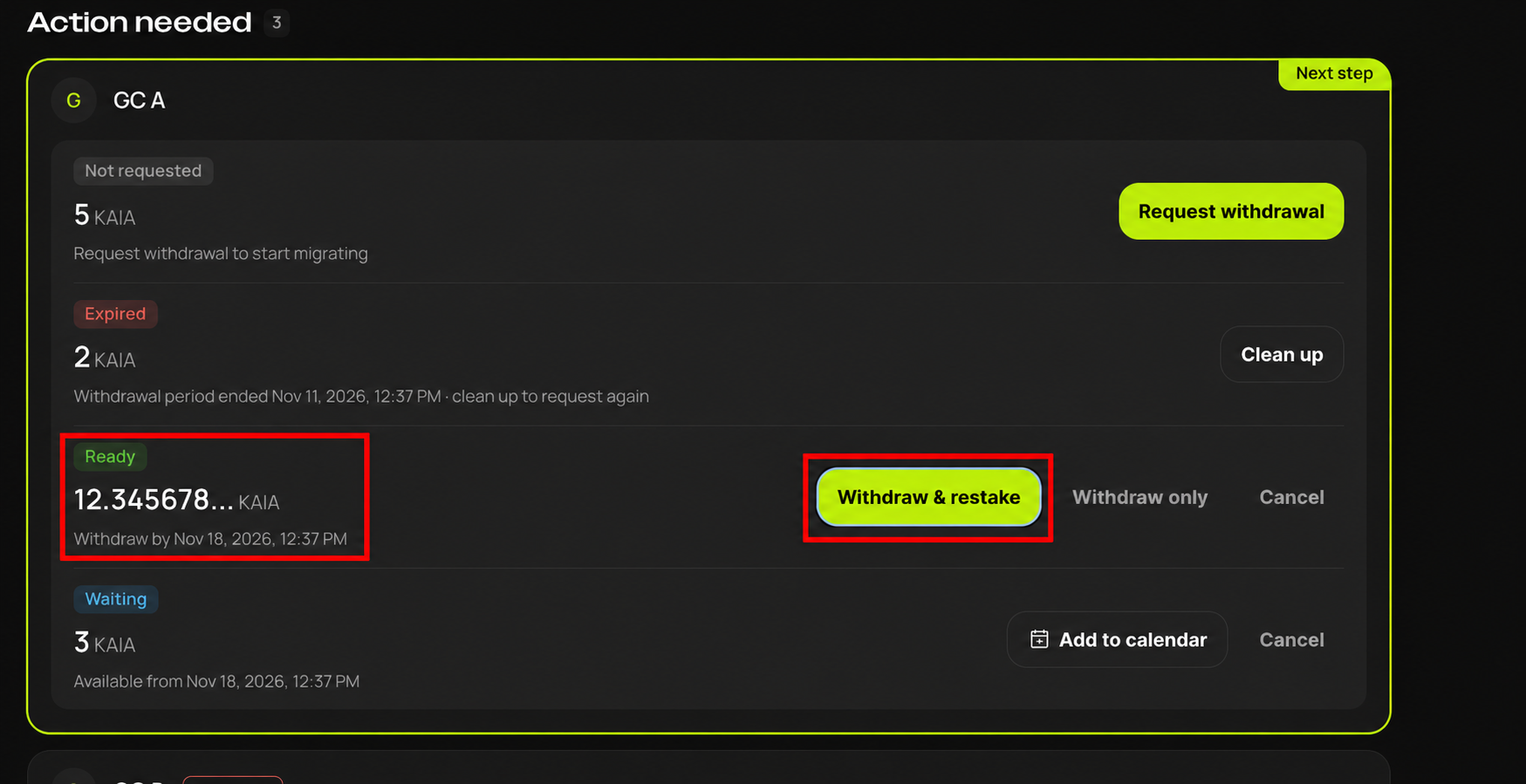
- After the wait, start withdrawing and restaking, from Nov 26 (scheduled)
Withdrawal and restaking are scheduled from Nov 26, once your waiting period has passed and your GC's migration is ready.
Check that the item shows Ready and note the deadline under Withdraw by, then select Withdraw & restake. Finish the next steps within the withdrawal window shown on screen.
You can withdraw from 7 days after your request is confirmed, and the request expires after 14 days. An expired request shows as Expired: select Clean up to restore your stake, then request again.
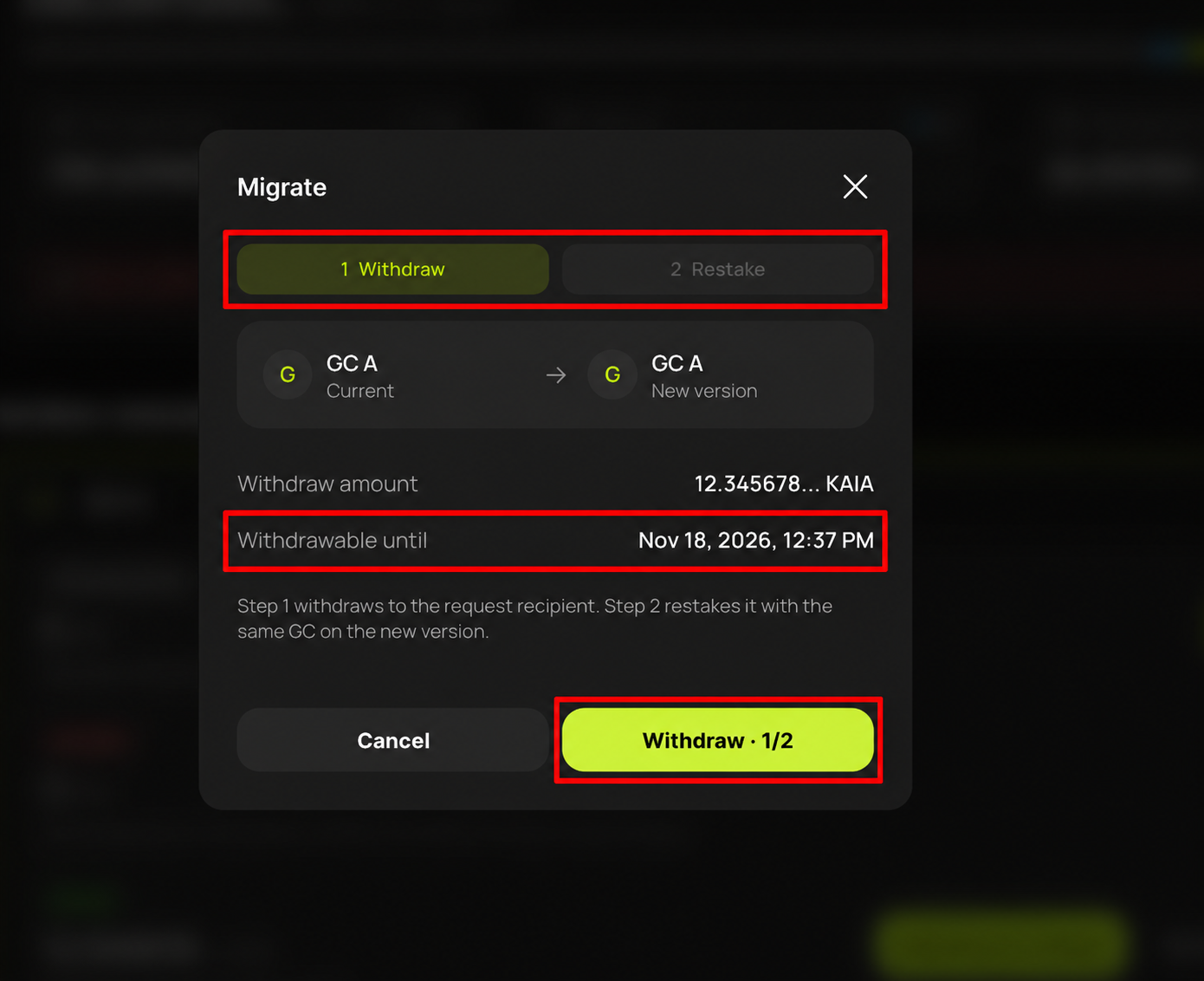
- Withdraw, then restake
In the Migrate window, check the GC, the withdrawal amount and the deadline under Withdrawable until. Follow 1 Withdraw → 2 Restake at the top: withdraw first, then restake with the same GC on the new staking contract.
The migration is complete only after the Restake step. Confirm each approval request on screen and in your wallet, and after restaking, check that your stake shows on the new version.
We'll update you on launch day
On Nov 17 we will share the Migration launch notice with a final user guide based on the live screens. Check that guide and later notices for detailed withdraw-and-restake steps, your personal withdrawal window and exception cases.
As noted in the CR contribution recognition notice, CR Mission 1 participants who migrate on this schedule keep their KAIA staking contribution recognition.
For now, have your staking wallet and some KAIA for fees ready, and request withdrawal after the Nov 17 launch notice. Thank you for your patience as we make this vital step into the next phase of the Kaia ecosystem.
Kaia will never ask for your recovery phrase or private key. Use official links only: Kaia Portal.