
The Complete Guide to CR Mission 1: Deposit, Stake, and Earn
This user guide for CR Mission 1 details how to participate in the Kaia network reward system. Learn the process for depositing USDT and staking KAIA to earn additional rewards, along with information on eligible protocols and wallet grouping.


Notice | This guide is a user guide for participation in CR Mission 1, and for detailed CR operation standards and specific policies, please refer to the please refer to the CR Operation Policy Guide.
Scroll down for FAQs on JPYC contributions.
1. Getting Started with CR Mission 1
What is CR Mission 1?
Contribution Reward (CR) is a system that provides additional rewards to participants (GCs or general users) who contribute to the Kaia network. CR Mission 1 is the first step, aiming to expand USDT liquidity and activate KAIA staking.
Participation is simple:
- Deposit USDT in a designated protocol (Unifi, SuperEarn)
- Stake KAIA with the same wallet
- Receive additional KAIA rewards
If both conditions are met, you can receive CR KAIA additional rewards on top of protocol USDT interest and KAIA staking rewards.
What rewards can I earn by participating in CR Mission 1?
By participating in CR Mission 1, you can earn up to 3 types of rewards:
| Reward Type | Expected APR | Description |
|---|---|---|
| Protocol USDT Interest | ~5–8% | SuperEarn · Unifi protocol base rate (variable) |
| KAIA Staking Reward | ~4.3–6% | Varies by staking node |
| + CR KAIA Additional Reward | Additional | KAIA rewards paid as Contribution Reward |
Important Reminder:
USDT deposit amount and KAIA staking amount must be matched in a 1:10 ratio.
That is, a minimum of 10 KAIA must be staked per 1 USDT deposited. (The table below is for illustrative purposes.)
| USDT Deposit Amount | Required KAIA Staking |
|---|---|
| 1,000 USDT | 10,000 KAIA |
| 5,000 USDT | 50,000 KAIA |
| 10,000 USDT | 100,000 KAIA |
| 100,000 USDT | 1,000,000 KAIA |
If the KAIA staking amount does not meet the 1:10 ratio, only the proportional USDT amount is recognized as contribution, not the full deposited USDT.
How to Participate
STEP 1. Start at Kaia Portal
Access the CR Mission 1 page on Kaia Portal. (https://portal.kaia.io/)
※ On Portal, you can check the following information or navigate to related services:
- Navigate to USDT deposit and KAIA staking services
- Check contribution recognition status
- Apply for reward payments
What You Must Know Before Starting
- KAIA staking and USDT deposit in the following steps must use the same wallet. If done with different wallets, it will not be recognized as a CR Mission 1 contribution.
- If you need to use different wallets, please refer to the 'Using Multiple Wallets' section in Chapter 2 instead of the same-wallet guide below.
STEP 2. Stake KAIA
[Case 1: Public Delegation]
- Go to the Kaia Staking site and delegate KAIA to a Public Delegation GC node.
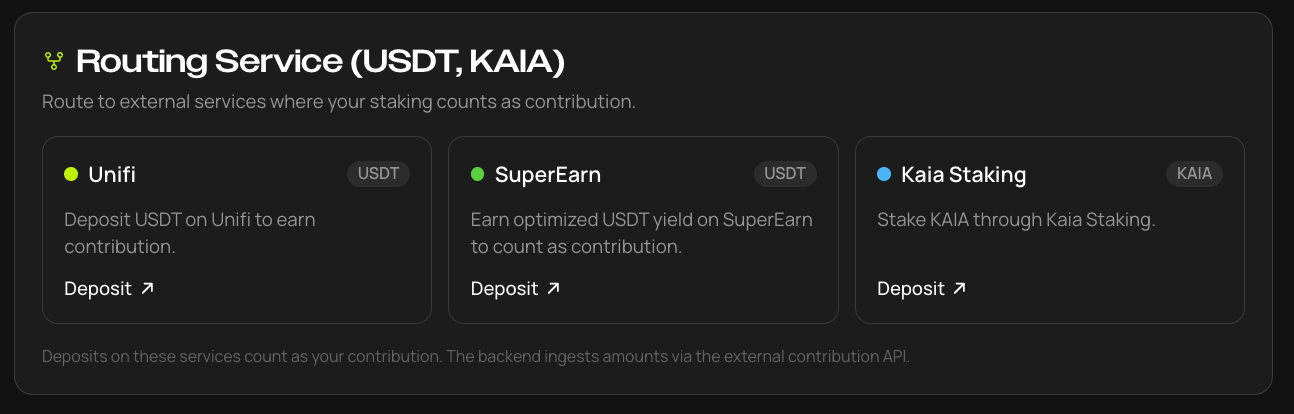
- Navigate to Kaia Staking service from the CR Mission 1 page.

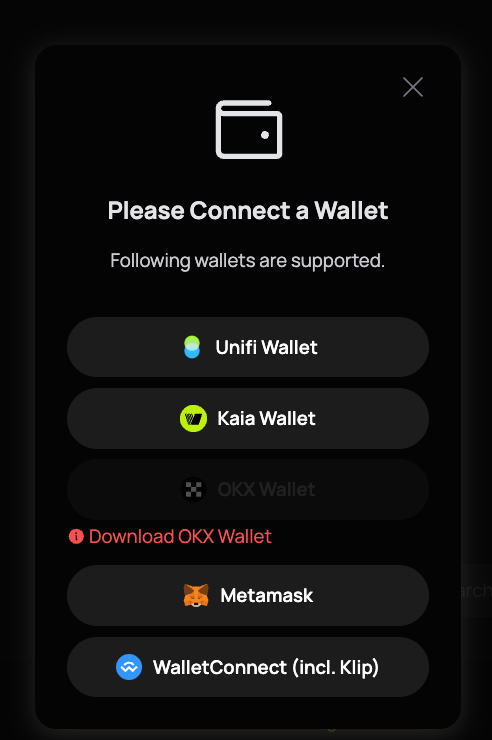
- Connect your wallet. (Select the wallet you want to use.)
- Select a Public Delegation node and delegate.
- ※ As of July 2026, 11 GCs operating Public Delegation: LINE NEXT Inc, LINE NEXT Corp, Bughole, DELIGHT, Xangle, HashKey, CertiK, Bisonai, Verichain, X2E All, Maekyung Media Group.
- GCs not operating Public Delegation (Ozys, Kommune DAO, CREDER-ITCEN) are not eligible, and the list may change depending on each GC's Public Delegation operation status.
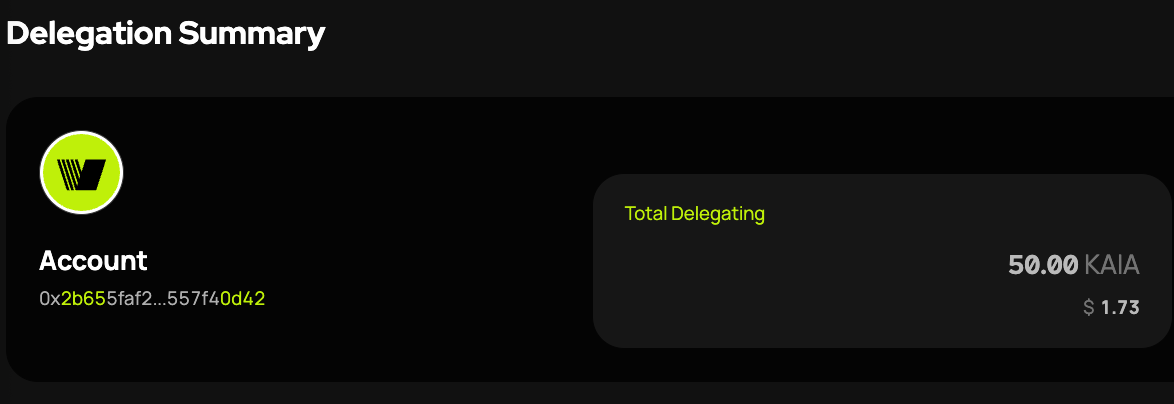
- Enter the staking amount and proceed with delegation. Once complete, the amount will appear on the Total Delegating screen.
- Unstaking takes approximately 7 days.
[Case 2: LST]
KAIA staking via LST is also recognized as a contribution. Eligible assets are gcKAIA and stKAIA. However, the recognition scope and calculation method may differ by LST — see Chapter 2 for details.
- stKAIA: Lair Finance | Boost your Yield
- gcKAIA: 스테이킹 | 스왑스캐너
STEP 3. Deposit USDT
Deposit Kaia Native USDT into one of the following protocols:
- SuperEarn
- Unifi
Caution: USDT from other networks or unsupported protocols will not be recognized as CR contributions.
Before depositing, confirm:
- The network is Kaia
- The asset is Kaia Native USDT
- You are using the same wallet as for KAIA staking
Navigate to Unifi or SuperEarn where you want to deposit USDT.
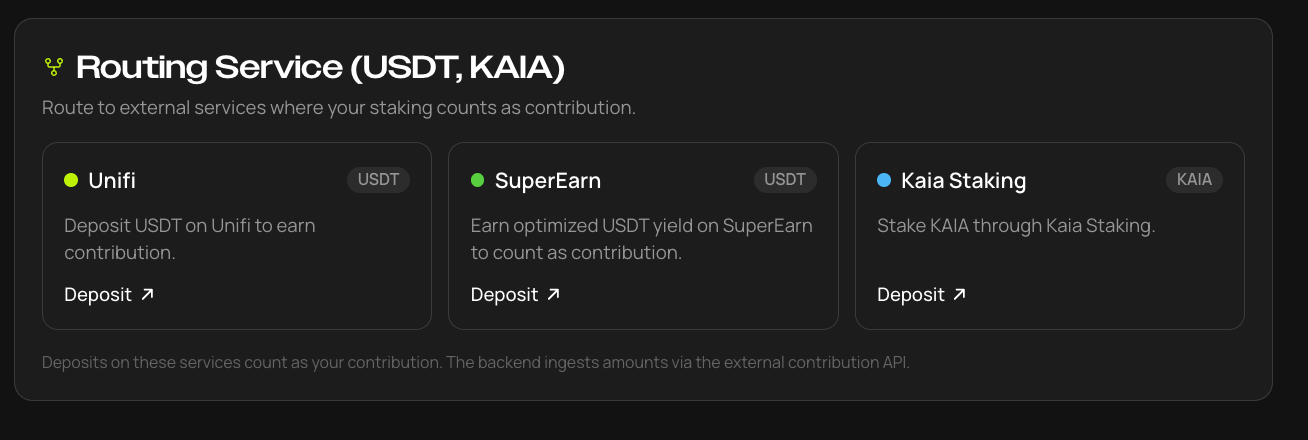
- Unifi
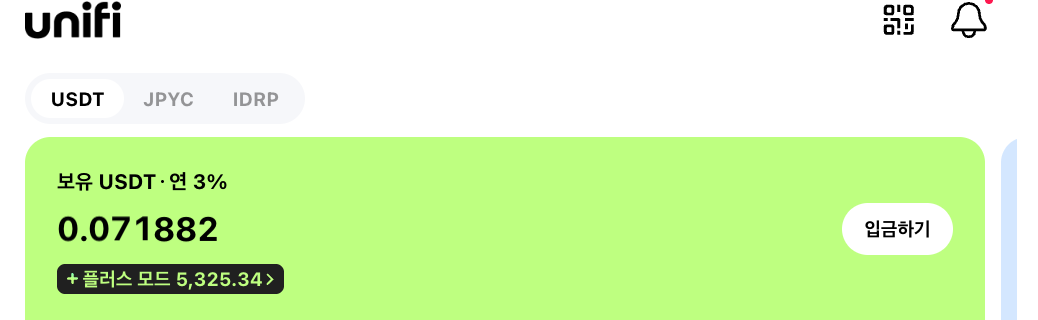
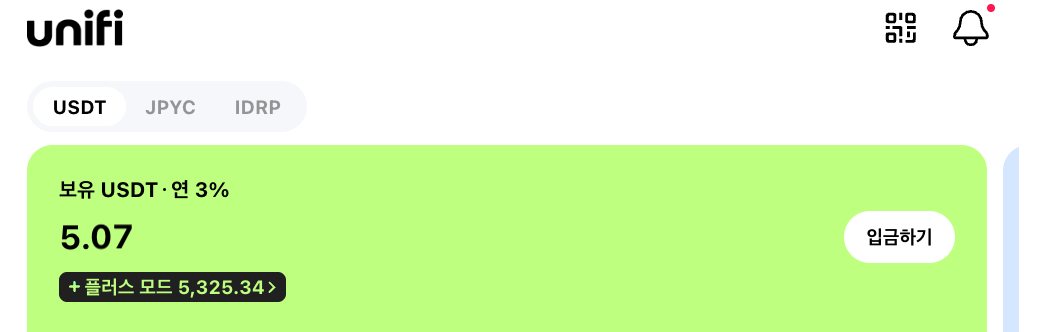
- On Unifi, move assets to the Unifi Wallet via 'Deposit' to make the deposit. Existing Unifi depositors who deposited in Plus mode long-term lock-up products are also recognized as contributions.
- SuperEarn
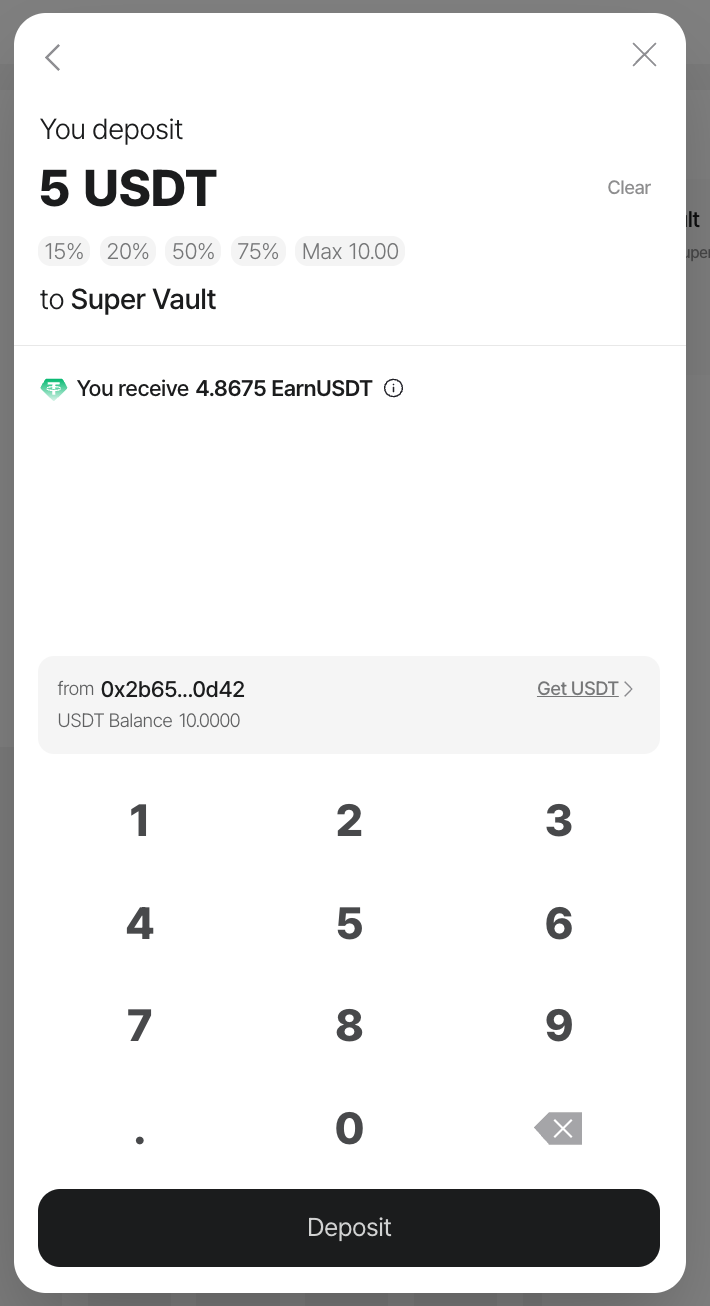
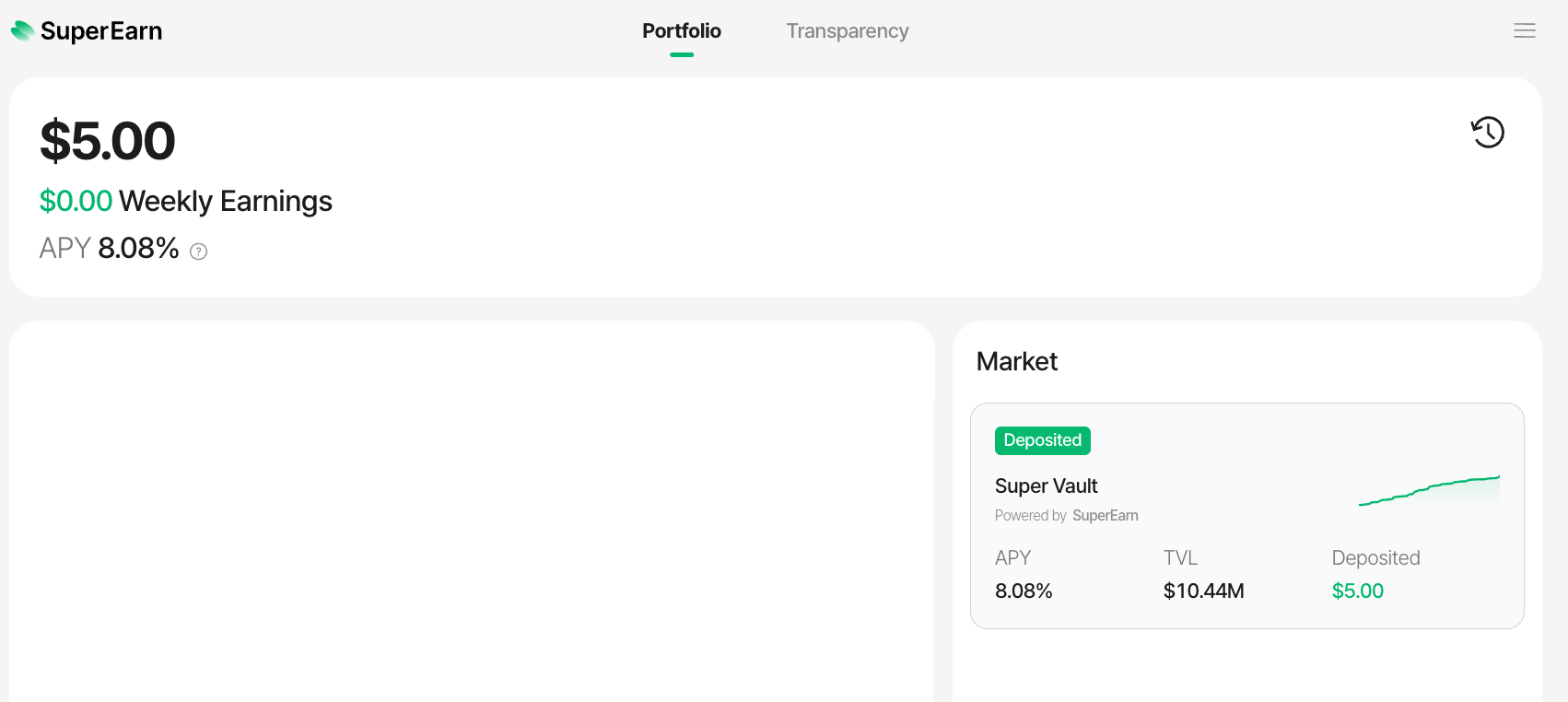
- Click Deposit Now → Click Super Vault → Click Deposit

STEP 4. Verify the 1:10 Ratio
For example, if participating as follows:
5,000 USDT deposited
50,000 KAIA staked
50,000 ÷ 10 = 5,000→ Full 5,000 USDT recognized
If KAIA is insufficient:
5,000 USDT deposited
30,000 KAIA staked
30,000 ÷ 10 = 3,000→ Only 3,000 USDT recognized
Tip: To maintain a stable ratio, stake slightly more KAIA than the minimum required to buffer against balance fluctuations.
STEP 5. Maintain Until the Period Ends
CR Mission 1 checks participation status by Period, which is approximately 10 days.
If you withdraw USDT or unstake KAIA mid-Period, the recognized amount may decrease.
For stable participation:
- Complete deposits and staking before the Period starts.
- Maintain USDT and KAIA throughout the Period.
- Check your current recognition status on Portal.
What About Existing USDT Depositors / KAIA Stakers?
If you are already depositing USDT in SuperEarn or Unifi and staking KAIA, you will automatically participate when CR Mission 1 starts.
However, you will be required confirm the following two points:
- Same Wallet: Verify that USDT deposit and KAIA staking use the same wallet address
- 1:10 Ratio: Verify that the KAIA staking amount is at least 10x the USDT deposit amount
CR Mission 1 Schedule
| Category | Schedule | Notes |
|---|---|---|
| Pre-deposit Start | July 16, 2026 | Preparations can be made in advance on Portal |
| Contribution Recognition Start (CR Mission 1 Launch) |
|
Recognized from the designated block |
To participate from the first Period, complete both USDT deposit and KAIA staking before the start block. The exact start time is based on block number, not estimated time.
Check My Contribution Status and Receive Rewards
- You can check your recognized contributions and rewards, and claim your rewards, on the CR Mission1 > My Reward page in the Kaia Portal.
Contribution Status
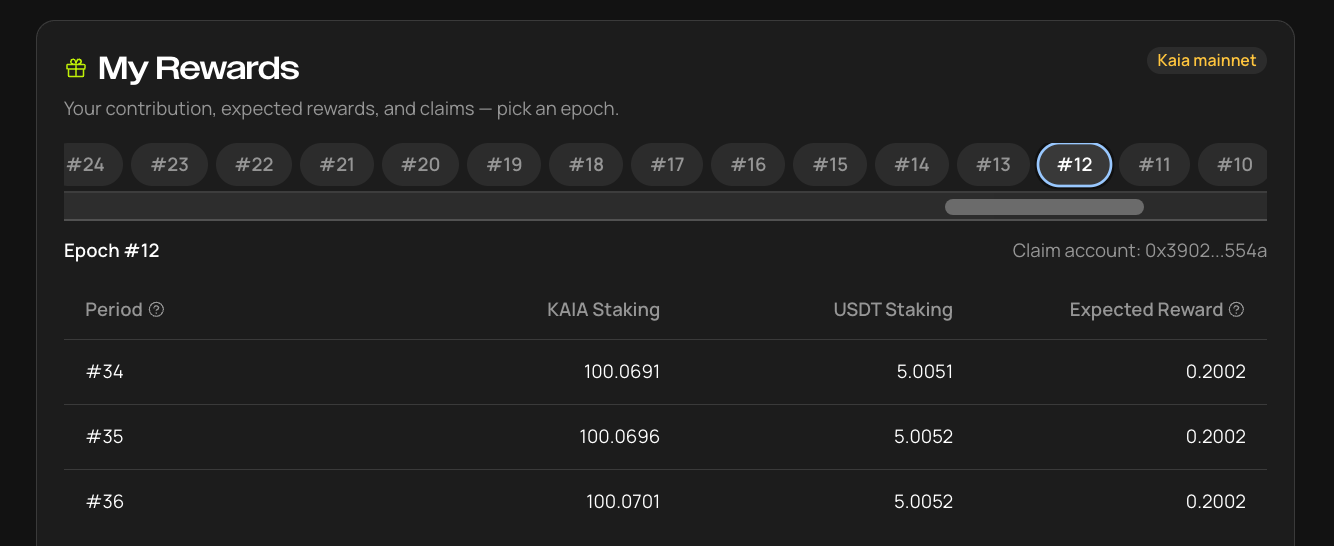
- On the My Reward page, you can check your contribution status and estimated rewards for each Epoch.
- For each Period, the recognized amounts of KAIA staking and USDT deposits are displayed. You can also view your calculated contribution and estimated rewards based on the 1:10 ratio between USDT and KAIA.
- The contribution amount for each Period is displayed only after that Period begins. It will not be shown before the start of the Period.
- Only the contribution amount recognized for the relevant Period is displayed. Therefore, any additional deposits made during an ongoing Period will be reflected when the next Period begins. Likewise, if assets are withdrawn, the reduced amount will be reflected in the contribution amount for the next Period.
- Contributions from LSTs, including gcKAIA and stKAIA, are not displayed while the Epoch is in progress. LST contributions and rewards will be updated during the settlement process after the Epoch ends.
- If you have set up a wallet group, the contribution amounts from all wallets included in the group will be aggregated and displayed.
Epoch status
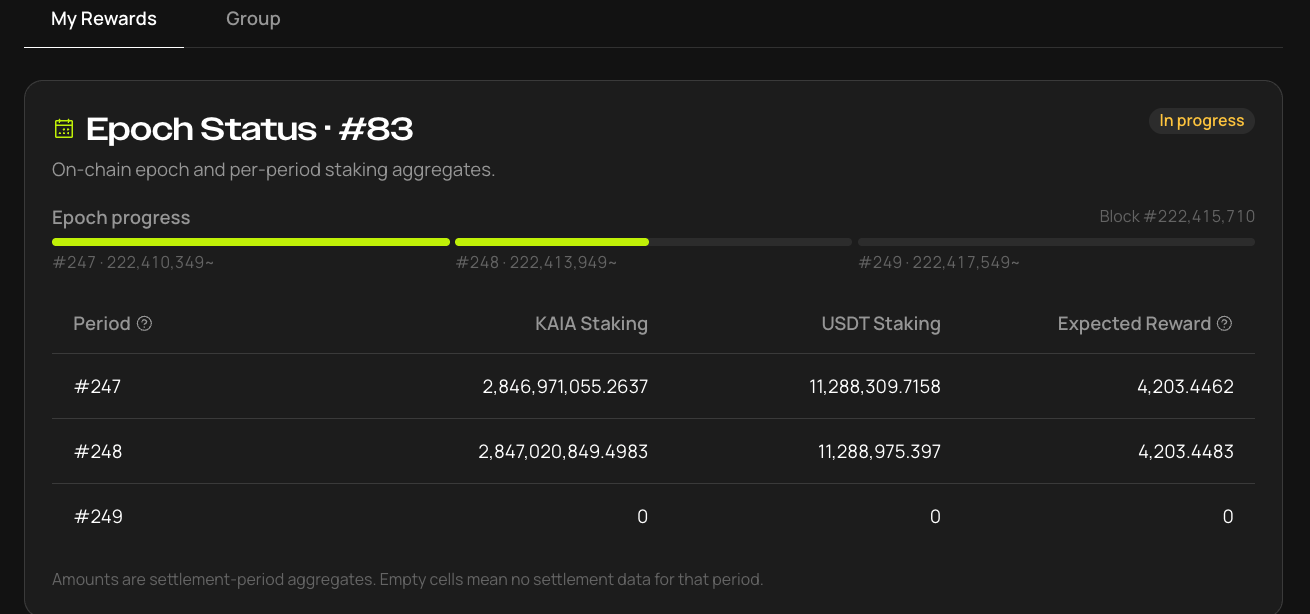
- You can check the overall progress of the current Epoch in the Epoch Status tab, and view the start block of each Period under Epoch Progress.
Claiming Rewards
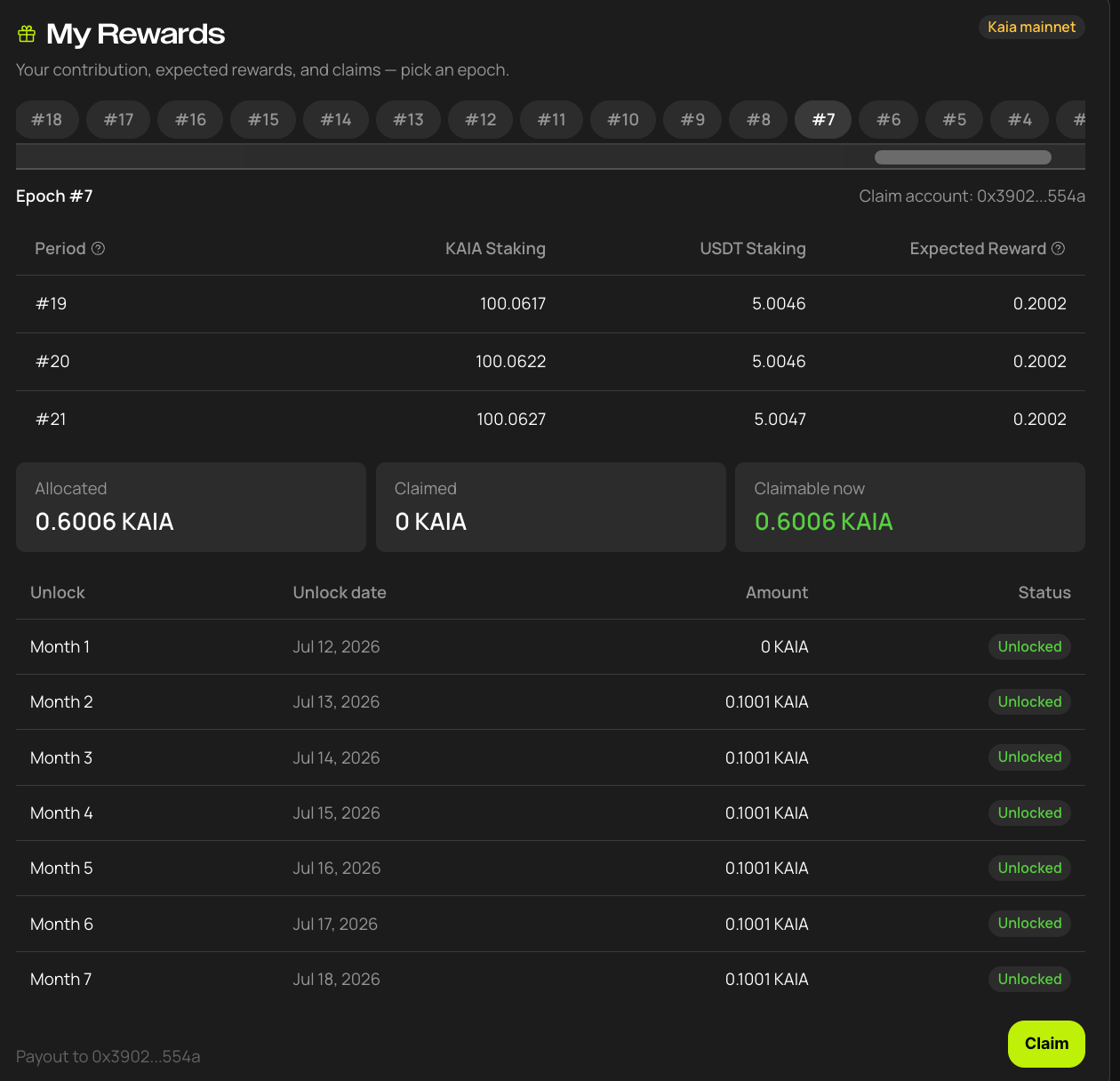
- Users can claim their rewards after the settlement process is completed, which takes approximately two weeks following the end of an Epoch.
- Rewards are distributed in installments over a total period of six months. The amount currently available to claim is displayed on the screen, and users can claim up to the displayed amount.
※ The image above is provided for illustrative purposes only.
2. Rules to Know Before Participating (Details)
Recognized Assets and Participation Methods
USDT
All of the following conditions must be met:
- Kaia Native USDT
- Deposited in SuperEarn or Unifi
- Amount recorded in the participating wallet or connected wallet group
KAIA
| Method | Recognition Conditions | Notes |
|---|---|---|
| Public Delegation |
Delegation to eligible GCs shown on Portal
|
|
| LST: gcKAIA | Direct Holding: Only directly held LST is recognized; LST movement is not recognized. | DeFi usage is not recognized. Detailed recognition scope applies gcKAIA's defined criteria. |
| LST: stKAIA |
|
Detailed recognition scope applies stKAIA's defined criteria. |
Recognized CR Amount
The user's recognized contribution amount is called Recognized TVL.
Recognized TVL= min(USDT Deposit Amount, KAIA Staking Amount ÷ 10)
By the above formula, the smaller of the two values is recognized as the final contribution.
| Situation | USDT | KAIA | Recognized Amount |
|---|---|---|---|
| Ratio met | 10,000 | 100,000 | 10,000 |
| KAIA insufficient | 10,000 | 50,000 | 5,000 |
| KAIA excess | 10,000 | 200,000 | 10,000 |
| USDT only | 10,000 | 0 | 0 |
| KAIA only | 0 | 100,000 | 0 |
Key points:
- Both USDT and KAIA must be maintained.
- If KAIA is insufficient, the recognized amount decreases.
- Even if KAIA is in excess, it won't be recognized beyond the USDT deposit amount.
Period and Epoch
| Category | Period | Epoch |
|---|---|---|
| Duration | ~10 days | ~30 days |
| Block Count | ~864,000 | ~2,592,000 |
| Role | Contribution calculation | Reward settlement for 3 Periods |
One Epoch consists of 3 Periods in total.
Even if you don't meet conditions in Period 1, you can still receive rewards for Period 2 and Period 3 if conditions are met in those periods.
Changing Assets During a Period
The minimum balance maintained during the Period affects the recognized amount.
| Change Situation | Effect on That Period |
|---|---|
| Additional deposit mid-period | Additional amount fully reflected from the next Period |
| Partial withdrawal | Recognized based on minimum balance remaining after withdrawal |
| Full withdrawal then re-deposit | Minimum balance is 0, so recognition for that Period may be 0 |
| Partial unstaking | Recognized amount decreases based on reduced KAIA amount |
Caution: A partial withdrawal does not automatically void the entire Period. The recognized amount decreases based on the remaining minimum balance. However, if the balance reaches 0 even once, the Period recognition for that asset may become 0.
Example: Asset change during Period
If you deposit 10,000 USDT at the start of a Period and withdraw 3,000 USDT midway, the minimum balance is 7,000 USDT.
If the required KAIA ratio is maintained, up to 7,000 is recognized for that Period.
CR Reward Calculation
The main reward parameters for CR Mission 1 are as follows:
| Item | Value |
|---|---|
| Monthly Reward Budget | 2,500,000 KAIA |
| Per-Period Reward Budget | ~833,333 KAIA |
| Reference TVL Cap | 50,000,000 USDT |
| Epoch Composition | 3 Periods |
My Period Reward
= My Recognized TVL
÷ max(Total Recognized TVL, 50,000,000)× 833,333 KAIA
If total Recognized TVL is below 50 million USDT and my Recognized TVL is 10,000:
Period Reward ≈ 167 KAIAEpoch Reward ≈ 500 KAIA
If total participation exceeds 50 million USDT, individual rewards decrease proportionally.
Caution: Example rewards are not guaranteed returns. Actual rewards will vary depending on total participation volume, minimum balance per Period, GC Commission, and final verification results.
Using Multiple Wallets: Group Feature
CR Mission 1 requires USDT deposit and KAIA staking to be done from the same wallet. However, if you use multiple wallets, you can link them into one group through the Wallet Grouping (Account Linking) feature.
What is a Leader Account?
- The representative wallet of the wallet group.
- USDT deposits and KAIA staking from all member wallets are aggregated to calculate the CR contribution.
- Rewards are paid to the Leader Account.
- For example: → Combined: 20,000 USDT + 200,000 KAIA → Recognized TVL = 20,000! → Rewards paid to Wallet A (Leader)
- Wallet A: 20,000 USDT deposited (USDT-only wallet)
- Wallet B: 200,000 KAIA delegated (staking-only wallet)
- Without grouping: Wallet A has 0 KAIA, Wallet B has 0 USDT → Both have Recognized TVL = 0!
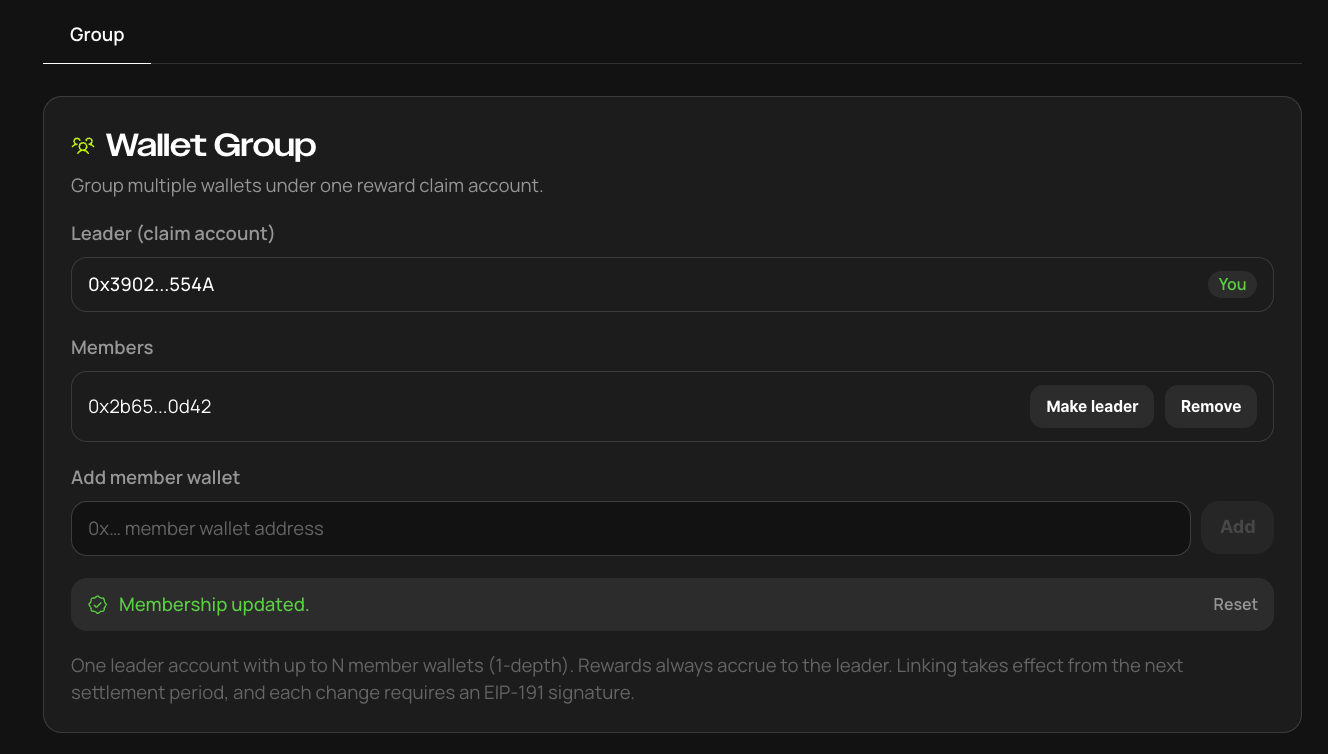
- After grouping: Link Wallet A (Leader) + Wallet B (Member)
How to Group Wallets
- Designate the Leader Account (representative wallet).
- Add member wallets to the group.
- Both wallets authenticate the connection via signature.
- After connection is complete, aggregation applies from the next Period.
Prohibited Configurations (Caution!)
- A member can only belong to one Leader, and a member cannot simultaneously be the Leader of another group.
How to Use
- Go to Portal and navigate to Wallet Group
- Go to Portal → Wallet Group, enter the wallet address in Add member wallet, then click the Add button.
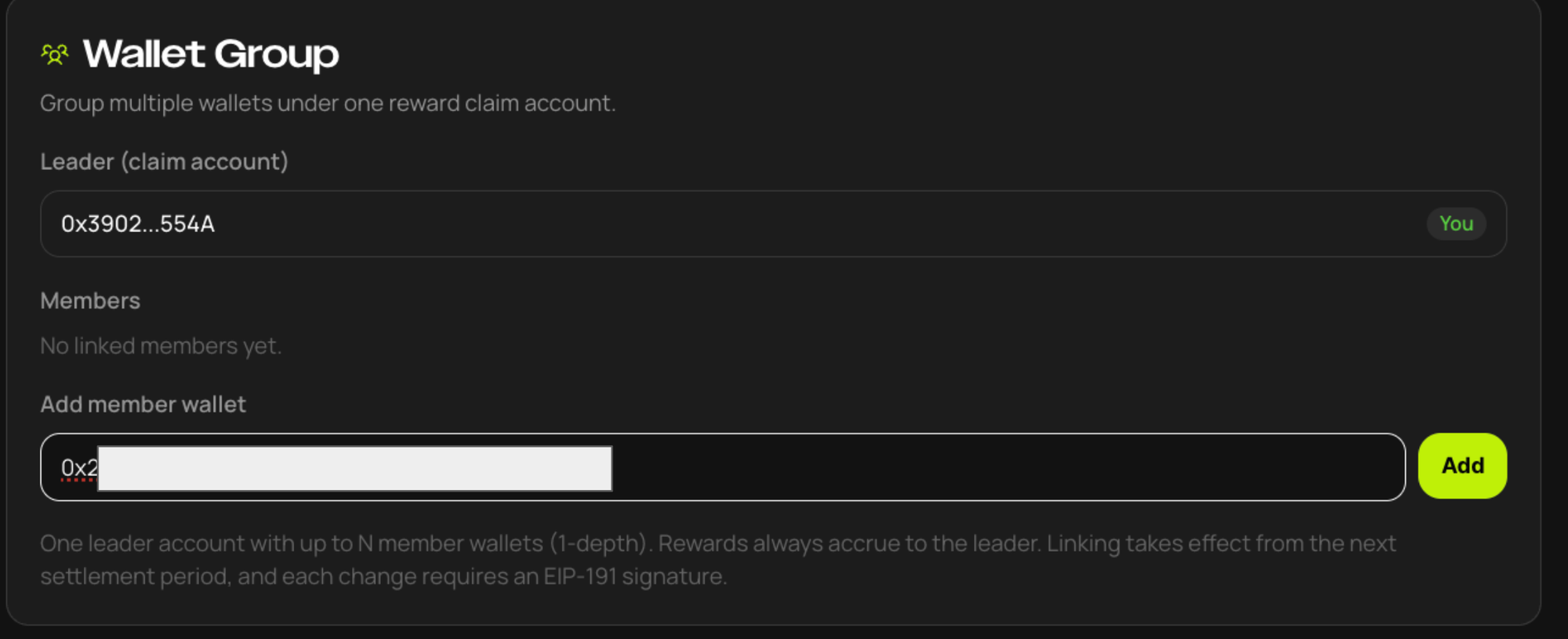
- A Sign request message will appear; sign with the Leader wallet (once signing is complete, verify the "invitation sent" message).
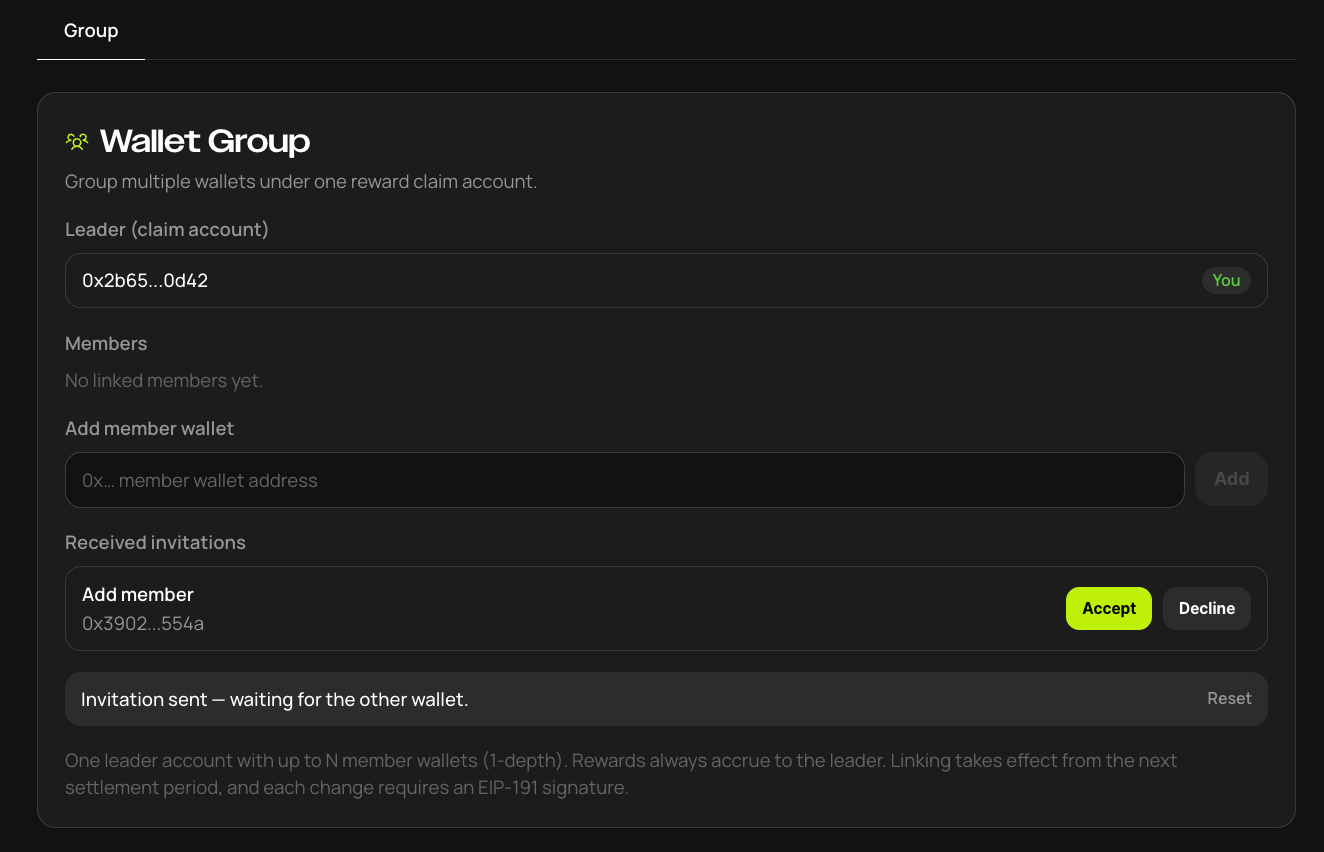
- Connect with the member wallet, click Accept to approve.
GC Commission
For general users, the CR Commission set by the GC may be applied. (This Commission goes to the GC's revenue.)
For example:
Reward before Commission: 167 KAIA
GC Commission: 10%User Reward: ~150.3 KAIA
GC Commission is applied only to CR rewards and is separate from the existing KAIA Staking Reward.
Reward Settlement and Vesting
When an Epoch ends, contributions from 3 Periods are aggregated, verified, and rewards are settled.
| Category | Content |
|---|---|
| Settlement Unit | Epoch |
| Settlement Target | Sum of rewards from 3 Periods |
| Vesting Structure | 6-month linear release (equal monthly amounts) |
| Where to Check | Kaia Portal Reward screen, claimable |
FAQs
- Who can participate? Anyone with a Kaia wallet. Simply deposit USDT and stake KAIA at the same time.
- Do rewards start accruing on July 16? No. July 16–21 is the early deposit window; contribution counting starts at CR Activation on July 22. Complete your setup during the window and you're recognized from the very first Period.
- What if I join after July 22? You won't be counted in the ongoing Period — recognition starts from the next Period (around August 1).
- Is there a minimum amount? Yes — 1 USDT and 10 KAIA.
- Can I just deposit USDT without staking? No. You must maintain both the USDT deposit and KAIA staking (1:10) at the same time. Doing only one earns nothing.
- Which USDT qualifies? Kaia Native USDT only. Wrapped, bridged, and synthetic assets do not qualify.
- Can I deposit and stake from different wallets? The default rule is the same wallet, but wallets linked (registered) in Kaia Portal are matched as a group.
- How are rewards calculated? On the "paired amount." Every 1 USDT pairs with 10 KAIA, and only the smaller side of the pair counts. For example, with 10,000 USDT + 50,000 KAIA, only 5,000 USDT is recognized. If total participation exceeds the target (50M USDT), the fixed budget is shared among more participants and per-user rewards decrease.
- Does the 1:10 ratio mean 10x rewards? No. 1:10 is the participation requirement (matching ratio), not a reward multiplier.
- What happens if I withdraw mid-period? You forfeit that entire 10-day Period's rewards. Even if your balance dips and recovers, the Period is calculated on your minimum balance.
- What if I add more mid-period? Additions don't count toward the ongoing Period — they're recognized from the next Period.
- What is 6-month vesting? When can I first claim? Settled rewards unlock at 1/6 per month over 6 months. You can claim starting from the first unlock after Epoch 1 (Jul 22 – ~Aug 21) settles.
- How is LST participation different from PD? Only the staking route differs; the contribution recognition principles are the same. LST protocols (SwapScanner · Lair Finance) apply their own contribution calculation standards, and reward delivery may differ.
- What happens to leftover rewards if participation is low? Unallocated rewards are burned on-chain after 3 Epochs. They are not redistributed to other participants.
Starting from Epoch 4, JPYC deposited in Unifi counts toward CR Mission 1 contribution. Below are frequently asked questions.
Eligibility and timing
1. Which JPYC is recognized as contribution?
- Only JPYC deposited in Unifi is recognized.
- JPYC simply held in a wallet is not recognized.
2. When does recognition start? Are earlier JPYC deposits covered retroactively?
- Recognition starts from block 230,342,400, the start of Epoch 4. The expected time is Oct 21 (Wed) 09:40 KST.
- JPYC deposits made during Epochs 1–3 are not covered retroactively.
- To be recognized from the first Period of Epoch 4, deposit JPYC in Unifi and stake KAIA in the same wallet (or a wallet in the same group) before that block.
The 1:10 ratio and combining USDT and JPYC
3. How does the 1:10 ratio apply to JPYC?
- The ratio between stablecoins (USDT, JPYC) and KAIA stays at 1:10. JPYC has no separate ratio of its own.
- JPYC is converted to its USDT value, and the 1:10 ratio is applied to that amount.
- Example (assuming 1 USDT = 150 JPYC, for illustration only): 15,000 JPYC → 100 USDT equivalent → 1,000 KAIA needed
- 1:10 is not a payout multiplier. It is the amount of KAIA needed for your deposit to be recognized as contribution.
4. What happens if I deposit both USDT and JPYC?
Both assets are combined on a USDT basis and matched with KAIA only once. The same KAIA is never counted separately for USDT and for JPYC.
| Deposit | Total in USDT | KAIA needed | KAIA staked | Recognized contribution |
|---|---|---|---|---|
| 100 USDT | 100 USDT | 1,000 | 1,000 | 100 USDT |
| 15,000 JPYC | 100 USDT | 1,000 | 1,000 | 100 USDT |
|
100 USDT + 15,000 JPYC |
200 USDT | 2,000 | 2,000 | 200 USDT |
|
100 USDT + 15,000 JPYC |
200 USDT | 2,000 | 1,500 | 150 USDT |
Assumes 1 USDT = 150 JPYC. The actual conversion uses the Epoch average rate.
4-1. I have several wallets. Can KAIA in another wallet be matched?
- Yes. If you group up to 5 wallets using the group feature in Kaia Portal, the whole group is matched as one.
- The USDT and JPYC-equivalent amounts across the group's wallets are added together and matched 1:10 against the group's total staked KAIA.
- Example (assuming 1 USDT = 150 JPYC): Wallet A holds 100 USDT + 15,000 JPYC, and Wallet B has 2,000 KAIA staked → if A and B are grouped, the full 200 USDT is recognized
- Without grouping, each wallet is matched separately, so in the example above the recognized contribution is 0.
Exchange rate and fluctuations
5. How is the exchange rate determined?
- The Orakl on-chain JPYC-USDT price is recorded every day.
- The exchange rate applies the average value of the period.
- A live price isn't used, to reduce the effect of day-to-day swings and temporary price distortions.
6. Why does the JPYC-equivalent contribution shown on the portal keep changing during an Epoch?
- The Epoch average rate is finalized only after the Epoch ends.
- While the Epoch is in progress, an estimate based on the average rate so far is shown. It is replaced by the final value once the Epoch ends.
- So the final settled value may differ slightly from what you saw during the Epoch.
7. What happens if the yen weakens?
- The same amount of JPYC converts to fewer USDT, so recognized contribution goes down by the same proportion.
- If the yen strengthens, the converted amount goes up, and so does the amount of KAIA needed.
- We recommend staking some extra KAIA to allow for exchange rate movements.
Switching assets, rewards, and TVL Cap
8. What if I withdraw USDT and deposit JPYC instead in the middle of a Period?
- Contribution is recognized based on the minimum balance during each Period (10 days).
- So if you withdraw USDT mid-Period, that Period's USDT contribution drops by the amount withdrawn.
- JPYC newly deposited mid-Period is not recognized for that Period. It is recognized from the next Period.
- If you withdraw all your USDT and move it into JPYC within the same Period, that Period's contribution becomes 0.
- If you want to switch assets, it's best to do so before a Period starts.
9. Are rewards paid in JPYC?
- No. Rewards are paid in KAIA, as before.
- The claim process and schedule are also unchanged.
10. Will adding JPYC reduce rewards for USDT depositors?
- JPYC has no separate budget or cap. It shares the existing TVL Cap (50M USDT) with USDT.
- As long as the total recognized amount stays below the Cap, individual reward calculations are not affected.
- If the Cap is exceeded, both USDT and JPYC participants are adjusted by the same proportion.