
Deploy an EVM ↔ Kaia Bridge in Minutes — Without Code
What is the OFT Deployer?

What is the OFT Deployer?
The OFT Deployer is a no-code platform that lets anyone bridge an existing ERC20 token from a supported EVM chain (like BNB chain) to Kaia chain using LayerZero’s OFT (Omnichain Fungible Token) standard. With OFT Deployer, you can deploy OFT contracts and adapters, creating a working bridge for your token in just a few simple steps — no programming required.
Who is this for?
- Projects with an existing ERC20 token on BNB chain (support for more chains coming soon) who want to make their token available on Kaia chain
- Teams seeking Stargate listing or omnichain token utility
- Anyone who wants a reliable bridge for their token in minutes
What You Need to Prepare
A wallet (such as MetaMask) with:
- Native tokens (BNB) on BNB chain for deployment and gas
- The token you wish to bridge on BNB chain
- Native KAIA tokens for deploying contracts and paying gas on Kaia chain
Step-by-Step Guide
Check out our guide via video demo here.
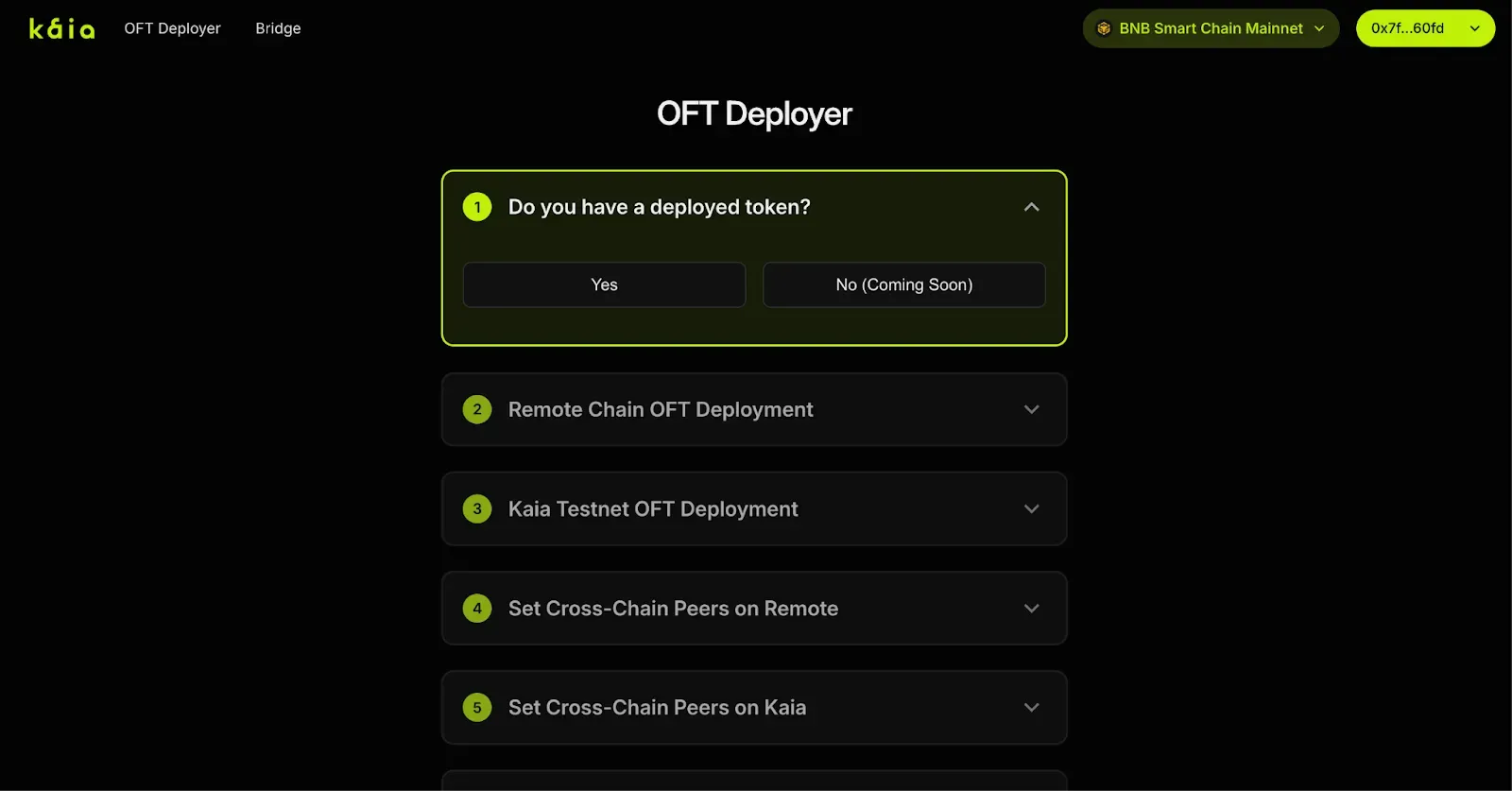
Step 1: Choose Deployment Type
- For now, select Yes when asked if you already have a deployed token.
(Other options coming soon.)
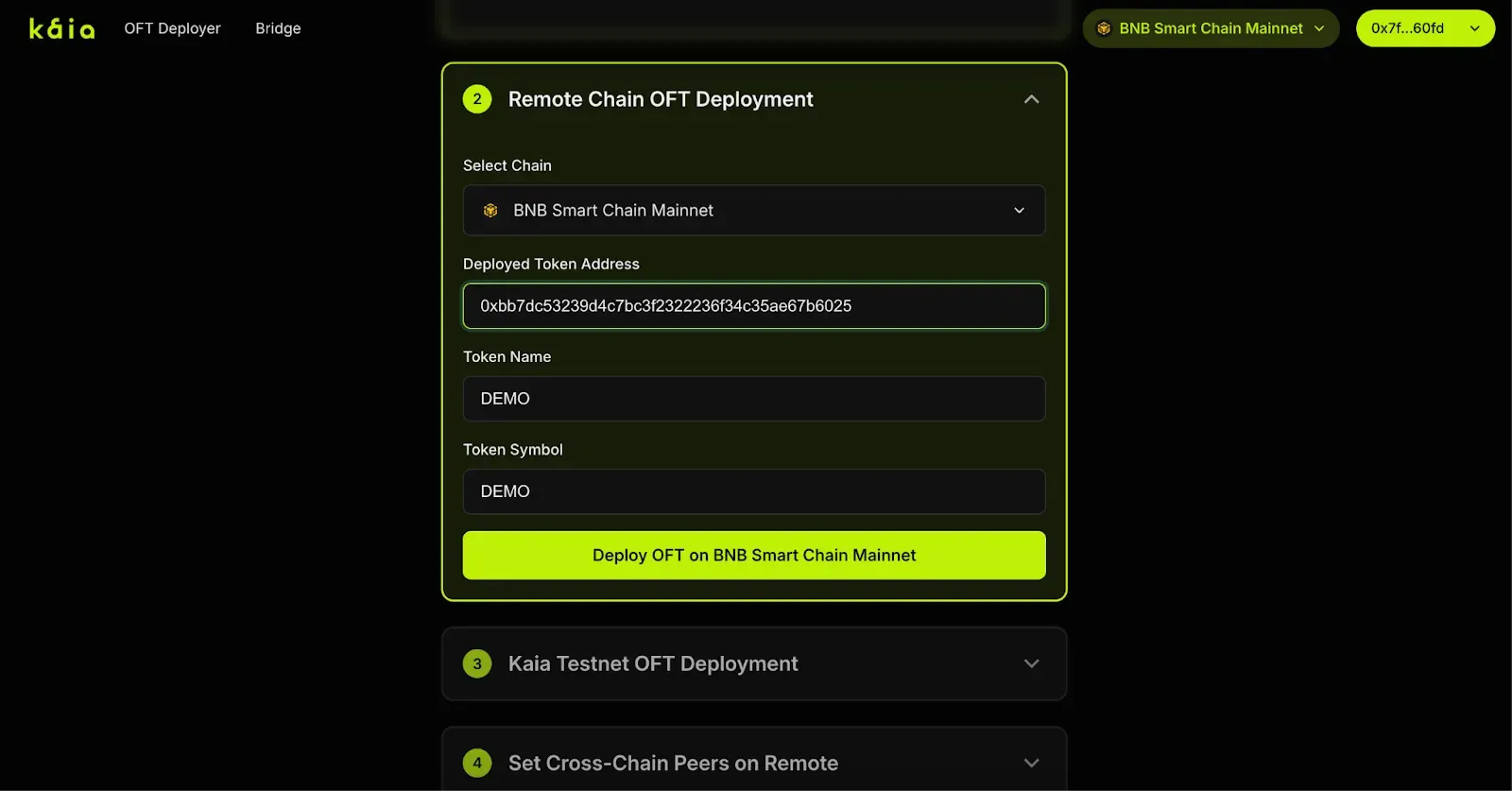
Step 2: Connect Wallet & Select Remote Chain
- Connect your wallet to the OFT Deployer.
- Select BNB chain as your remote chain.
- Switch your wallet to BNB chain.
- Enter the contract address of your token that you want to bridge.
The OFT Deployer will auto-fill your token’s name and symbol. - Click Deploy to deploy the OFT Adapter for your token on BNB chain.
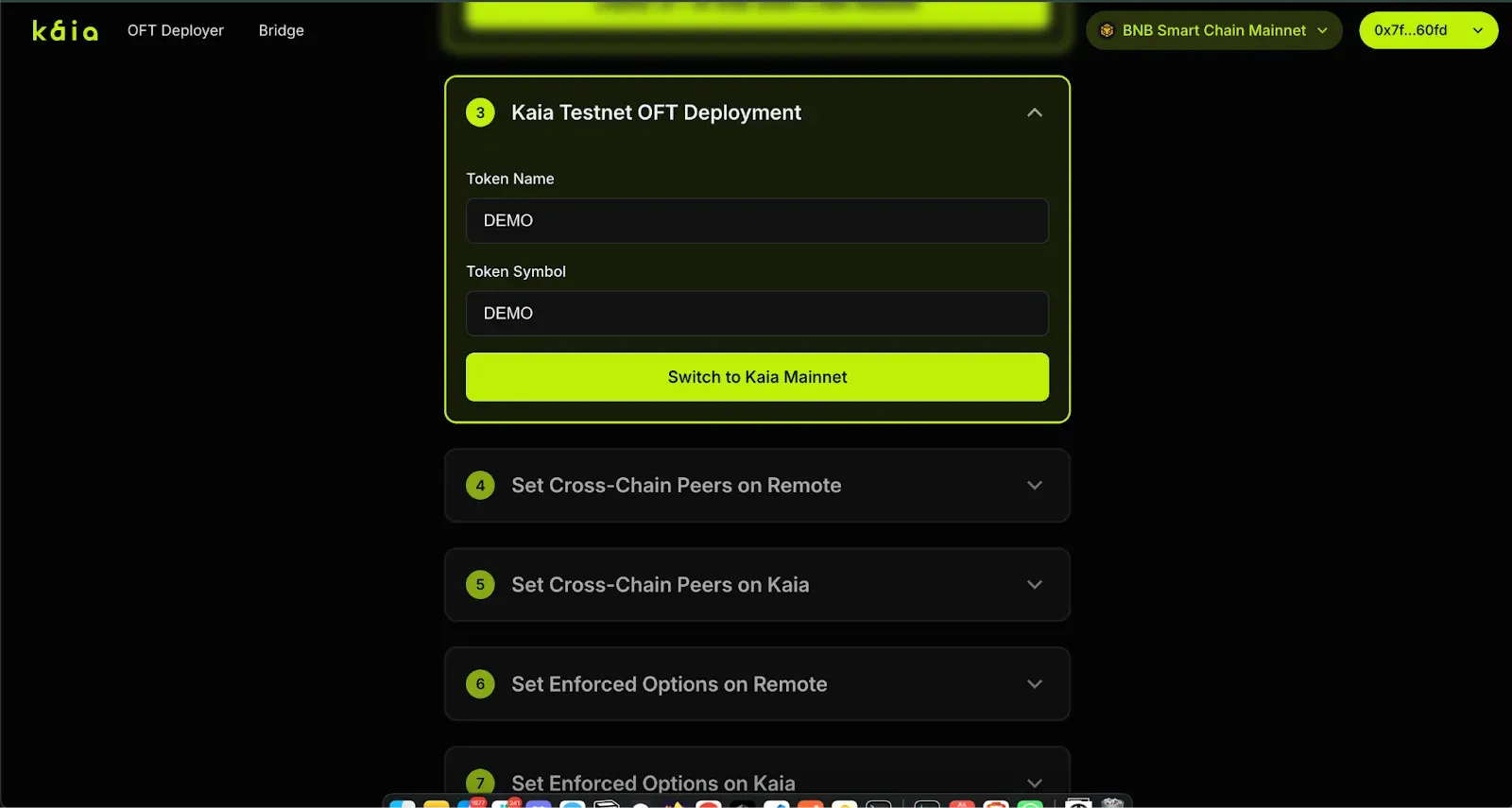
Step 3: Deploy OFT on Kaia Chain
- Click to switch to Kaia chain.
- Make sure your wallet has KAIA tokens for gas fees.
- Click Deploy OFT. The OFT Deployer will use your token’s name and symbol.
Step 4: Set Peers on BNB Chain
- The OFT Deployer fills in all addresses for you. Just click Set Peers on BNB chain.
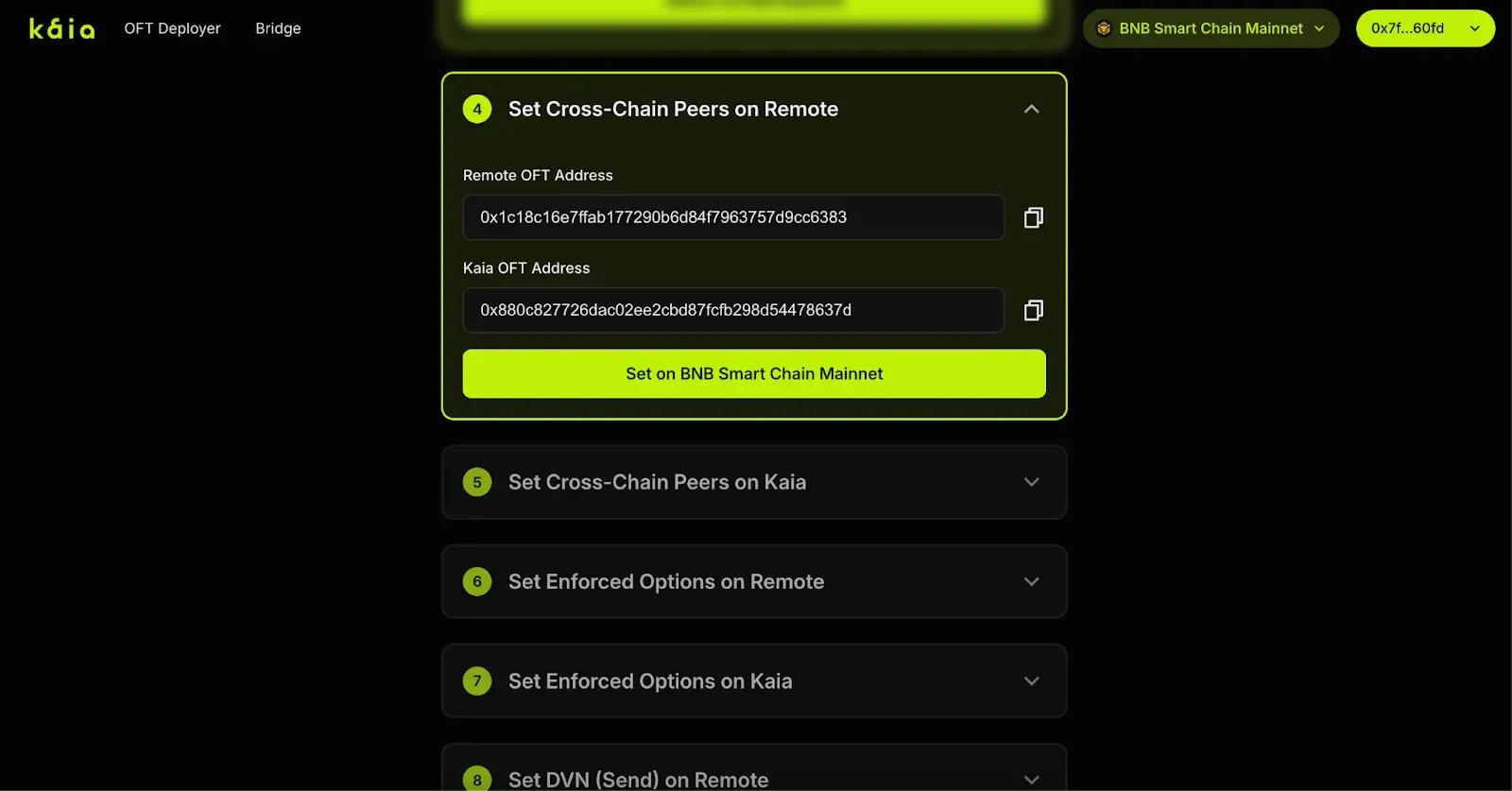
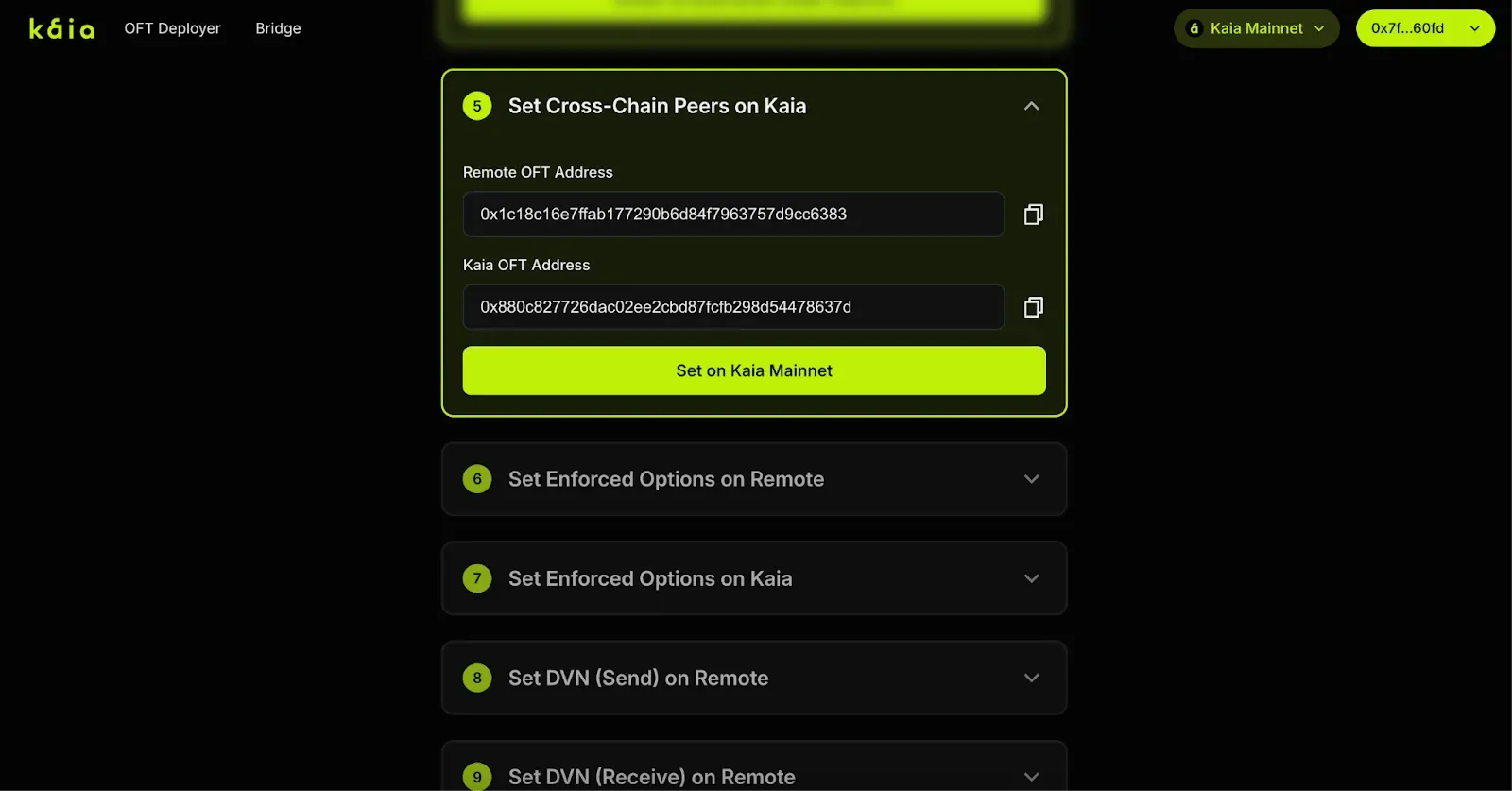
Step 5: Set Peers on Kaia Chain
- Again, just click Set Peers on Kaia chain to link both sides of your bridge.
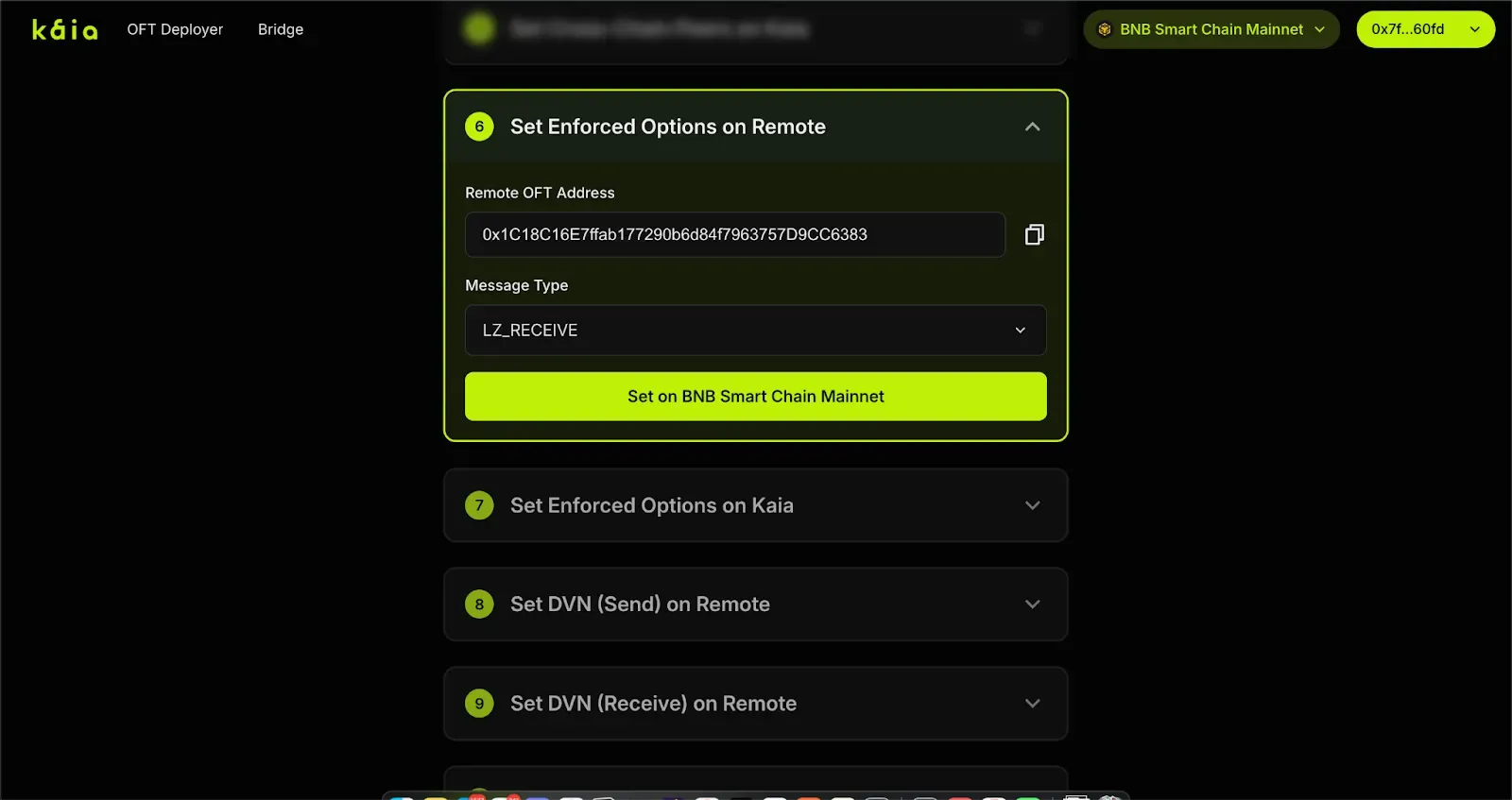
Step 6: Set Enforced Options on BNB Chain
- Sets up gas payment settings for bridging (required for Stargate listing).
- All values are filled in. Just click the button to set enforced options.
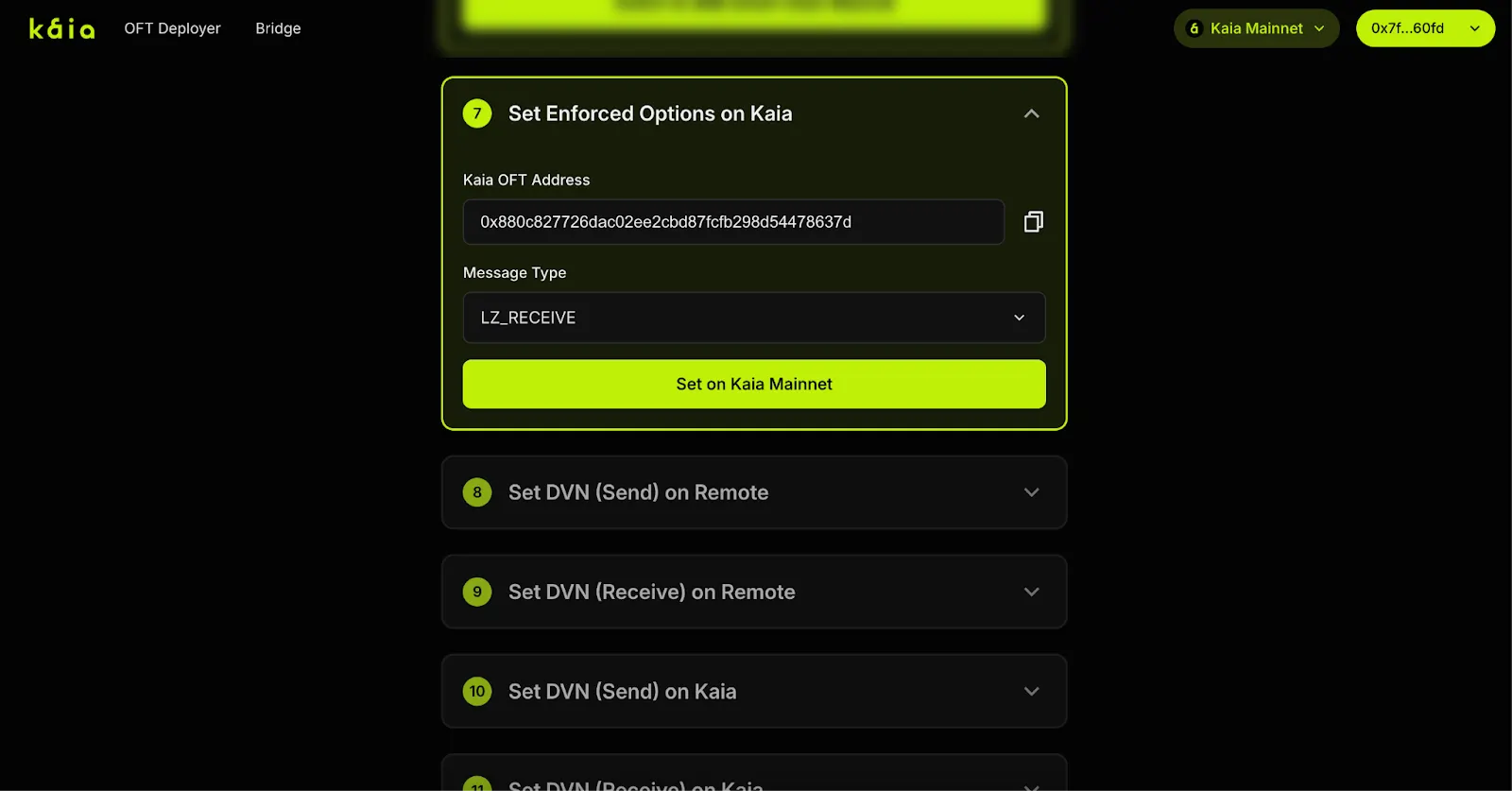
Step 7: Set Enforced Options on Kaia Chain
- Same thing as step 6, but for Kaia chain.
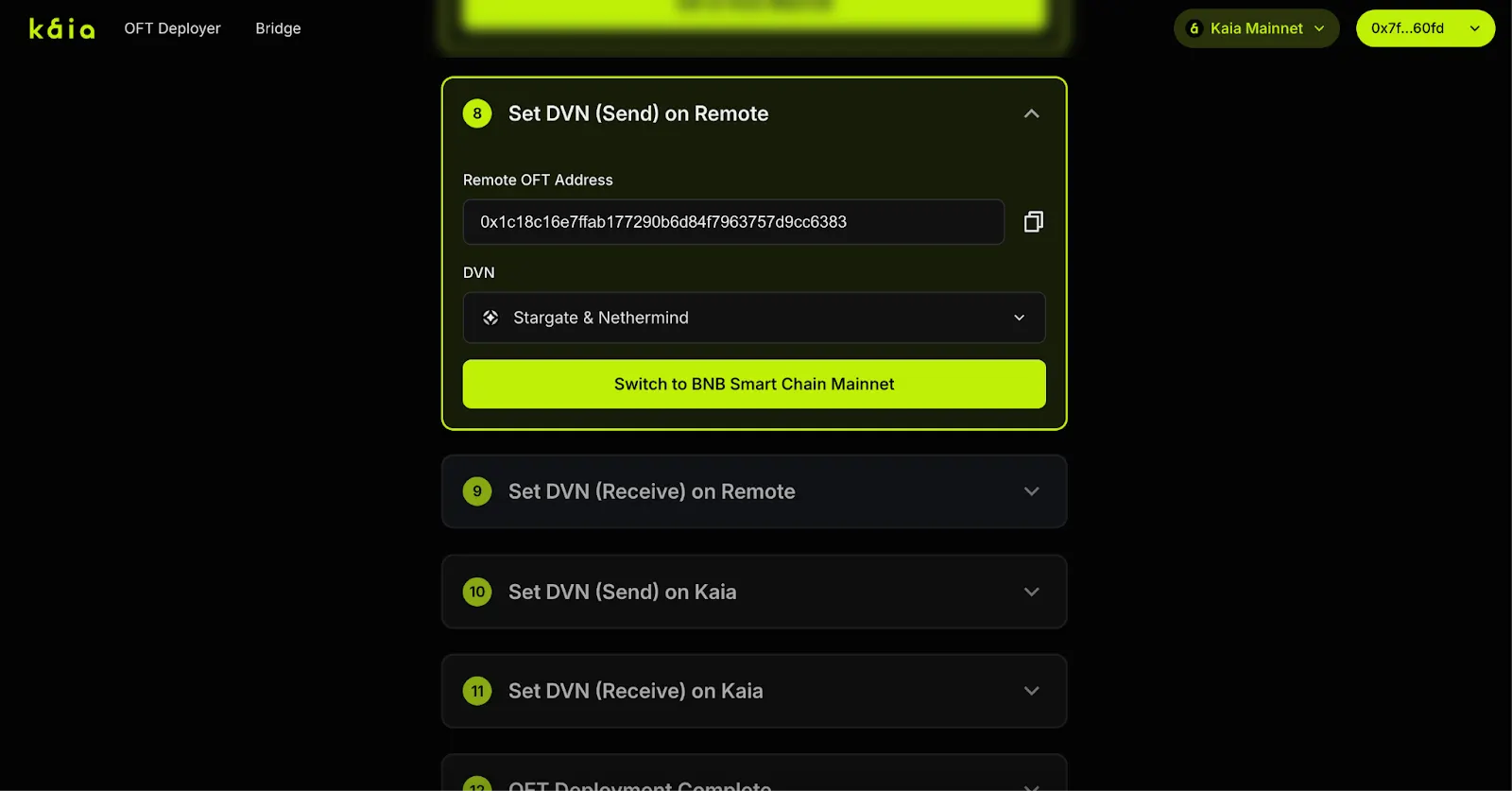
Step 8–11: Set DVN (Decentralized Verifier Network)
- Step 8: Set the sending DVN on BNB chain
- Step 9: Set the receiving DVN on BNB chain.
- Step 10: Set the sending DVN on Kaia chain.
- Step 11: Set the receiving DVN on Kaia chain.
(These steps enable cross-chain messaging and secure your bridge via a DVN.)
Step 12: Deployment Complete
Congratulations!
Your bridge is fully deployed and configured. You can now list your token on Stargate via this link, or start bridging tokens right away via the built-in bridge UI.
Bridging Your Tokens
Go to toolkit.kaia.io/oftdeployer/bridge
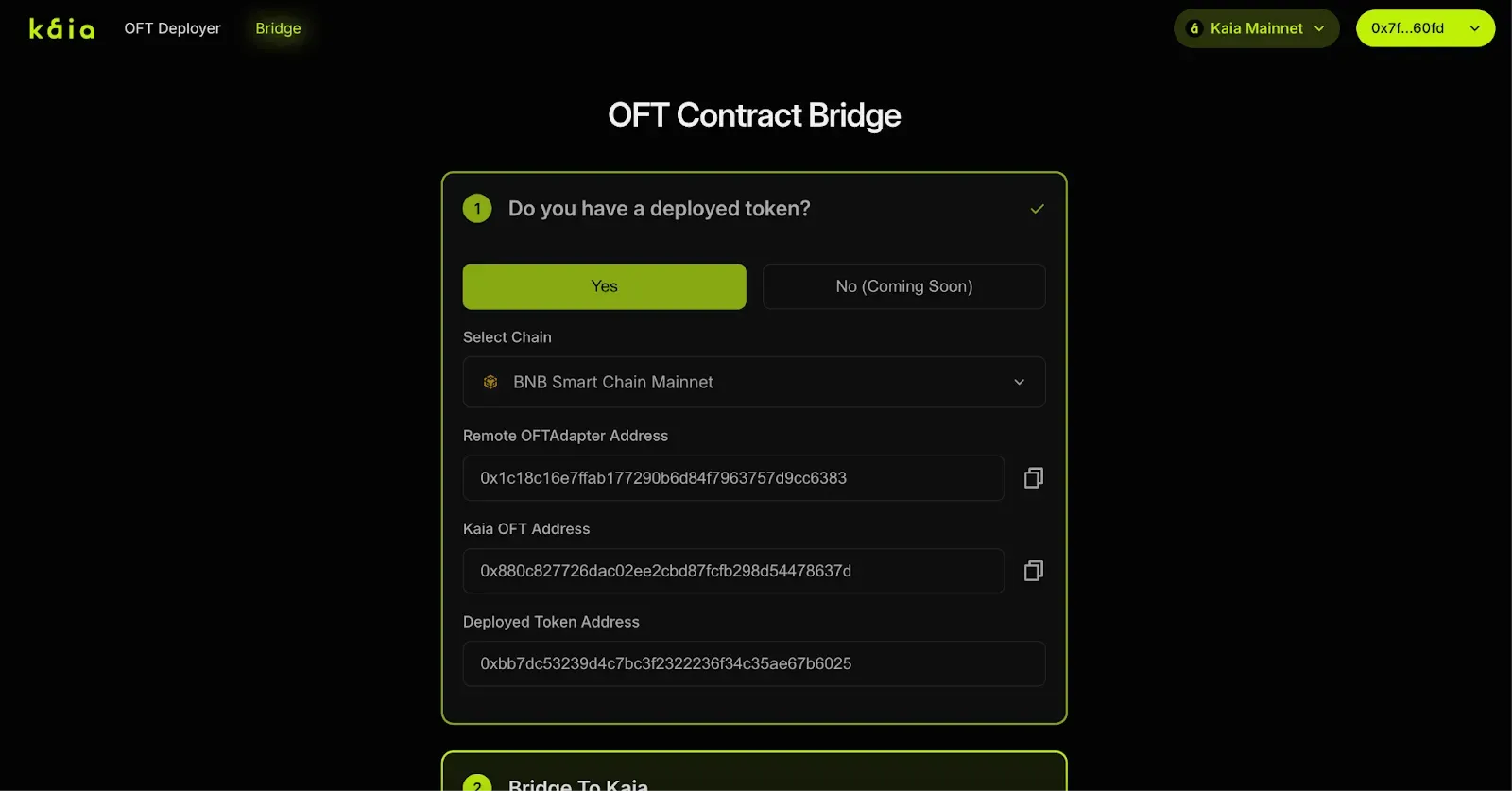
Step 1: Prepare the Bridge
You’ll see all your bridge information automatically filled in after you follow the steps (unless you refresh, then you’ll need to fill it in again). Do not deploy another OFT Adapter or OFT again.
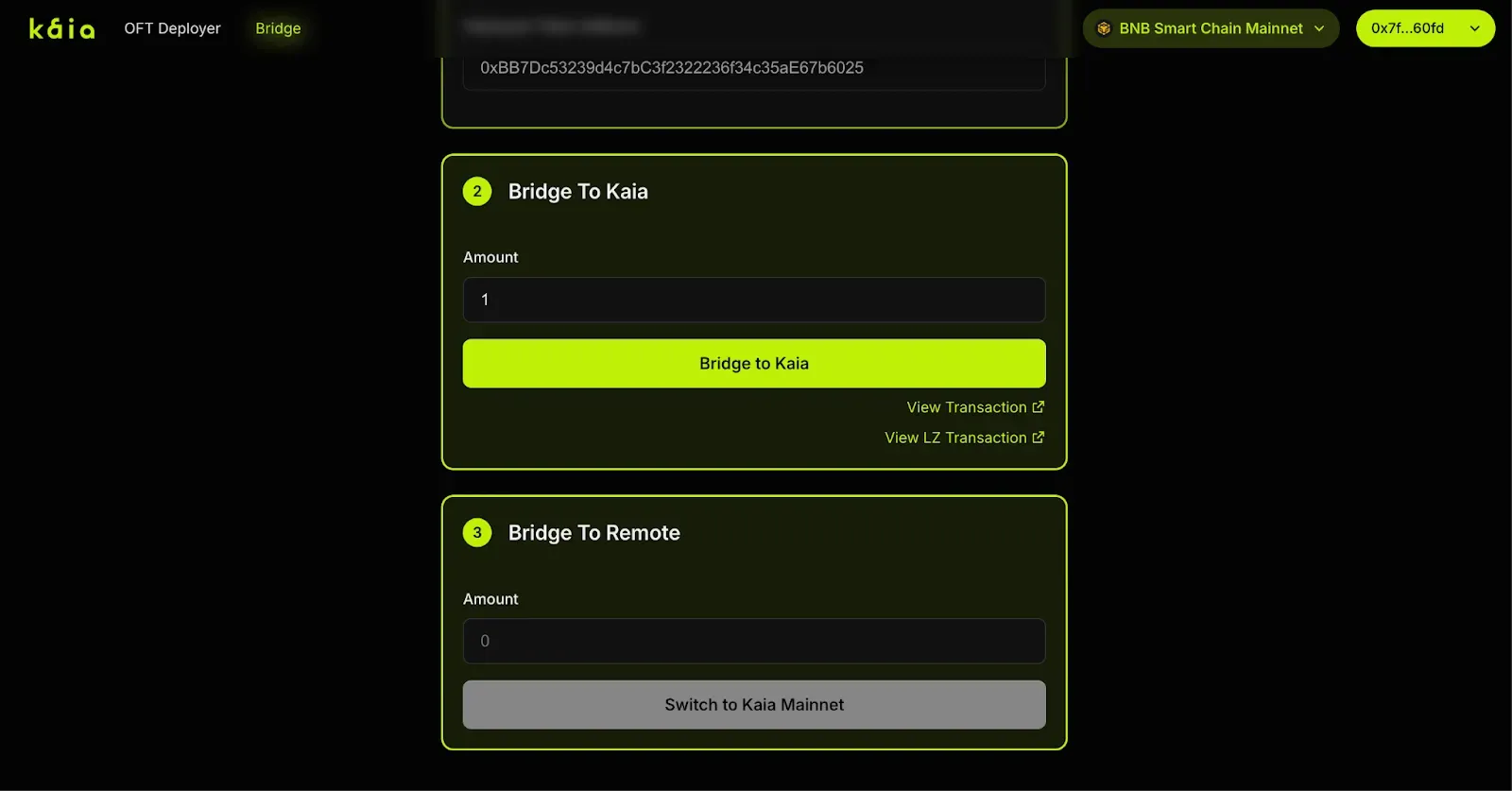
Step 2: Bridge to Kaia Chain
- Enter the number of tokens you want to bridge.
- Click Approve to approve token transfer on BNB chain to your OFT Adapter.
- Click Bridge.
After the transaction is confirmed on Layer Zero, your tokens will appear on Kaia chain.
Reminder: Make sure you have the tokens you wish to bridge in your wallet.
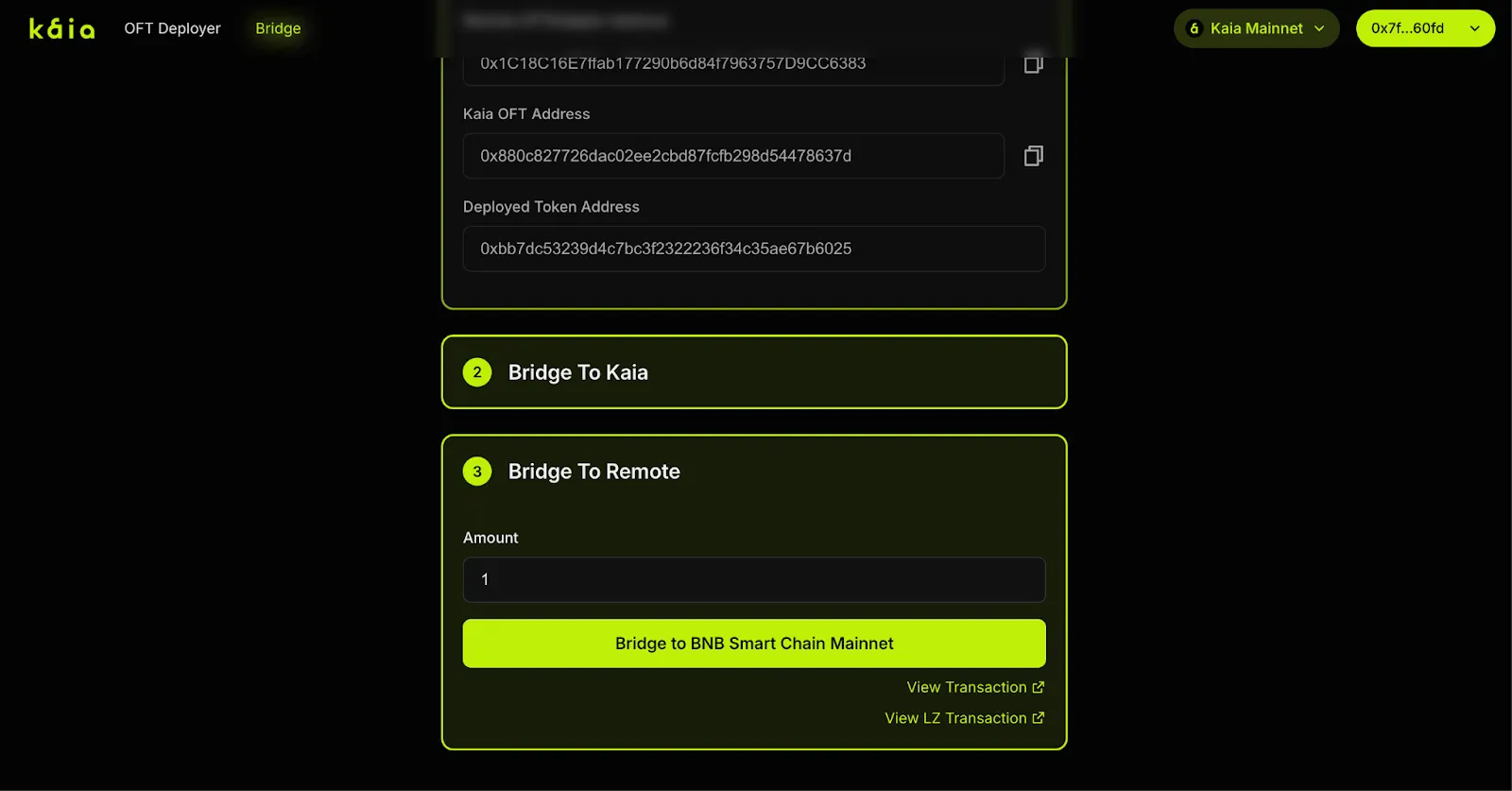
Step 3: Bridge to BNB Chain
- Enter the amount to bridge back.
- Click Bridge (no approval needed for OFT on KAIA).
- Tokens will arrive on BNB chain after the transaction is confirmed on Layer Zero.
Reminder: Make sure you have the tokens you wish to bridge on KAIA.
Congratulations!
You have just deployed a bridge between BNB and Kaia for your token, and successfully bridged your token both ways. You’re now ready to expand your token’s reach to new users and platforms.
What Pain Points Does the OFT Deployer Solve?
- No need for coding or smart contract audits
- No reliance on developers, just a wallet and your tokens
- Deploying a bridge in minutes
Important Note on Security
We leverage the use of official LayerZero OFT smart contracts and did not make any changes to it.
The OFT Deployer simply uses the trusted, audited LayerZero OFT contracts as-is, so your bridge leverages the same security as LayerZero itself.
FAQ
How long does bridging take?
Usually under a few minutes, depending on network congestion.
What fees are involved?
Only standard gas fees for transactions on both chains.
Can I list on Stargate right away?
Yes, once setup is complete, you can request a listing on Stargate here.